
 ChatGPT
 Perplexity
 Gemini
 Claude
Launching a new product used to require a long list of creative assets: studio photography, lifestyle images, short-form videos, email graphics, ad variations, product page visuals, and social media teasers. For large brands, that production list might be normal. For a small e-commerce team, it can feel unrealistic.
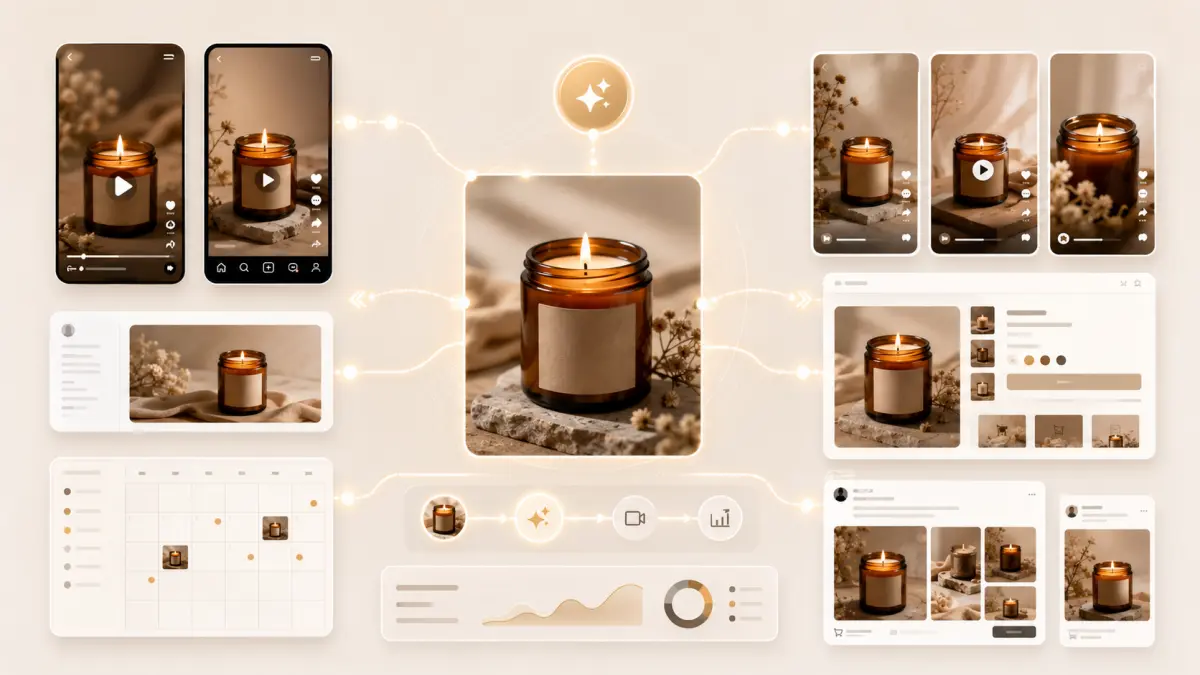
Imagine a small candle brand preparing to release a new amber glass candle. The team has one polished product photo: a clean jar, a warm beige background, soft shadows, and a label that reflects the brand’s style. What they do not have is a video crew, a studio day, a motion designer, or weeks of production time.
That situation is common across Shopify stores, Etsy sellers, boutique skincare brands, coffee roasters, handmade goods businesses, and independent product creators. They often have strong visuals, but not enough motion content for platforms where video performs better than static posts.
This is where a practical photo to video ai workflow can help. Instead of treating one product photo as a single-use asset, a small brand can turn it into the foundation of a 7-day launch video campaign. The goal is not to create a cinematic commercial. The goal is to make lightweight, platform-ready motion assets that build anticipation, explain the product, and support the launch across social media, email, landing pages, and product pages.
Why One Strong Product Photo Is More Valuable Than It Looks
A good product photo already contains more creative direction than many teams realize. It defines the product’s shape, packaging, color palette, lighting, mood, and visual positioning. A minimal skincare bottle on a white marble surface communicates something very different from a coffee bag photographed beside a ceramic mug and morning window light.
For small brands, this consistency matters. If every video clip looks completely different, the campaign can feel disconnected. But if each short video starts from the same product image, the brand can maintain visual continuity while still creating different versions for different platforms.
A single image can become a teaser, a product page animation, a paid ad variation, an email banner, and a launch-day reveal. The difference is not the original asset. The difference is the motion direction applied to it.
This is also why small teams should avoid thinking of AI video as a magic button. The best results come from clear creative decisions: what should move, what should stay still, what mood the clip should create, and where the video will be used.
The 7-Day Launch Video Framework
A 7-day campaign gives a small brand enough time to build interest without overwhelming its audience. Each day should have a different role. Some clips create curiosity. Some show product details. Some support conversion. Others are used for testing.
Below is a practical framework for turning one product image into a full launch sequence.
Day 1: The “Coming Soon” Motion Teaser
The first video should not explain everything. Its job is to create anticipation.
For a candle brand, this might be a 5- to 8-second clip where the camera slowly pushes toward the product while warm light moves across the background. For a skincare brand, it could be a soft glow behind the bottle with subtle reflections on the packaging. For a coffee brand, it might include a gentle shadow shift and a faint sense of morning atmosphere.
The key is restraint. A teaser should not show every benefit, ingredient, price point, or call to action. It should simply make the audience feel that something new is coming.
Useful motion ideas include:
- A slow camera push-in
- A light sweep across the product
- Soft background movement
- Gentle particles, steam, or atmosphere
- A short text overlay such as “Coming Soon” or “Launching Friday”
This clip can be used in Instagram Stories, TikTok, Reels, or as a short animated announcement in an email header.
Day 2: The Texture and Detail Clip
The second day should focus on the physical qualities of the product. This is especially useful for products where texture, material, or finish affects buying decisions.
A skincare product might highlight the shine of a glass bottle or the smoothness of a cream texture. A candle could show warm reflections on the jar and a subtle sense of smoke or flame-inspired movement in the background. A fashion accessory might use fabric movement or light passing across the surface.
The purpose of this clip is not to create exaggerated animation. It is to make the product feel more tangible.
Static product photos can be beautiful, but they sometimes flatten details. Motion adds perception. A slow highlight moving across a bottle can make packaging feel premium. A slight background shift can give depth to a flat product image. A controlled zoom can guide the viewer’s eye to a label, texture, or feature.
For small e-commerce teams, this kind of detail clip can be especially useful because it helps bridge the gap between browsing and touching the product in person.
Day 3: The Product Page Motion Asset
By the third day, the brand should create a more practical video asset for the product page. This video should be calmer than a social teaser because visitors on a product page are already closer to making a purchase decision.
A good product page motion asset should keep the product clear and stable. It might use a slow zoom, a subtle rotation effect, or a soft change in lighting. The product should not warp, the label should not become unreadable, and the packaging should remain accurate.
This is where an ai image to video workflow can fit naturally into a small team’s process. Instead of scheduling a new video shoot just to create a short product page animation, the team can start with the existing product photo and generate a controlled motion version for the store.
For Shopify, WooCommerce, or other e-commerce product pages, the video does not need to be complex. In fact, simple is often better. A short looping clip can add polish without distracting from the product description, price, reviews, or add-to-cart button.
The best product page videos usually answer one question: does this motion make the product feel more real, more premium, or easier to understand?
If the answer is yes, the asset is doing its job.
Day 4: The Lifestyle Variation
By day four, the brand can move beyond the plain product image and create a lifestyle-inspired variation.
This does not mean inventing a completely new product scene that misrepresents what is being sold. It means adding atmosphere around the product while keeping the product itself consistent.
For example:
A candle brand might place the product in a warm evening setting with soft shadows and a calm background.
A skincare brand might use a bathroom counter mood with natural morning light.
A coffee brand might create a cozy kitchen scene with subtle steam and a slow camera movement.
A stationery brand might use a desk setup with gentle paper movement and warm light.
The important rule is that the product should remain accurate. The shape, label, color, and packaging should not change. The animation should enhance the setting, not rewrite the product.
This is also a good place to think about Animate Photo AI as a practical concept. The goal is not to make a product jump, melt, spin wildly, or transform into something else. The goal is to animate the environment, camera, light, and atmosphere in a way that makes the product feel alive while still preserving trust.
For product marketing, believability matters. A visually impressive clip can still fail if the customer feels the product is being misrepresented.
Day 5: The Paid Ad Test Version
By the fifth day, the brand should create two or three variations for testing.
Paid social campaigns often require more than one creative angle. A small team may not know whether its audience will respond better to a calm premium aesthetic, a fast-moving social clip, or a seasonal version. Instead of guessing, the team can create multiple short video variations from the same source image.
For example, the candle brand might test:
A calm, luxury-style version with slow lighting and minimal text.
A gift-focused version with a warmer background and “Now Available” overlay.
A seasonal version with subtle winter atmosphere or holiday-inspired colors.
Using image to video ai in this way does not replace creative strategy. It supports it. The team still needs to decide which audience to target, what message to test, and what action the viewer should take. But AI-generated motion can reduce the cost of producing enough visual variations to learn what works.
This is especially valuable for small brands that cannot afford to produce a full set of new video ads every week. Instead of one expensive hero video, they can create lightweight creative tests and let performance data guide the next round.
Day 6: The Email and Landing Page Banner
Email and landing page videos require a different approach from social media clips. Social content often competes for attention in a fast feed. Email and landing pages are more focused environments, so the animation should support the message rather than dominate it.
For an email banner, a simple loop is usually enough. A product slowly appearing in warm light, a gentle background movement, or a soft zoom can make the email feel more polished without slowing down the reader.
For a landing page hero section, the motion should leave room for headline text, a call-to-action button, and product information. Busy animation can make a landing page harder to read. A subtle clip can create depth while keeping the layout clean.
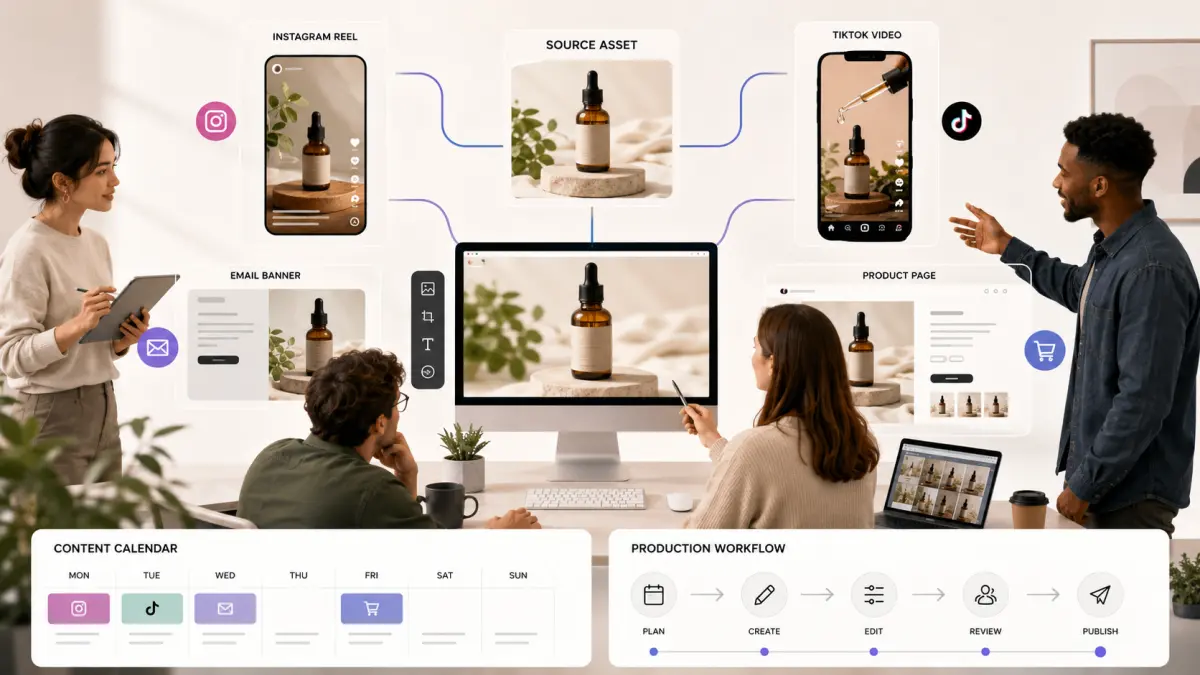
The same product photo can be adapted into both formats, but the crop and pacing may need to change. A vertical version might work for Stories or TikTok, while a wider version may be better for email or a website hero banner.
Day 7: The Launch-Day Reveal Clip
The final day is the reveal. This is where the brand can use a slightly more dramatic video, as long as it still feels aligned with the product.
A launch-day clip might start close on a detail and pull back to reveal the full product. It could begin with the product in soft shadow and then bring it into warm light. It might add a subtle background effect that feels celebratory but not distracting.
The reveal clip should make the product feel available, not mysterious. Earlier teasers can build curiosity. The launch-day video should be clear: what the product is, why it matters, and what the viewer should do next.
This is also the moment to pair the video with direct messaging. “Now available,” “Shop the launch,” “Limited first batch,” or “Meet our newest scent” can work better than abstract language. The motion earns attention, but the message should drive action.
A Simple Prompt Formula for Product Photo-to-Video Campaigns
The quality of a product video often depends on the clarity of the prompt. Small teams should avoid vague instructions such as “make this product look cool” or “turn this into a viral video.” Those prompts leave too much open to interpretation.
A more useful prompt formula is:
Subject + motion + camera movement + background atmosphere + what should stay unchanged.
For example:
“A premium amber glass candle jar on a warm beige background, slow camera push-in, soft golden light moving across the label, subtle smoke in the background, keep the jar shape, label, and product details unchanged.”
This kind of prompt gives the AI system both creative direction and boundaries. It explains what kind of motion should happen while protecting the product’s identity.
For teams new to this process, a step-by-step resource such as How to Turn Photos into AI Videos can help clarify the workflow before they start building launch assets. Once the team understands the basics, they can adapt the same prompt structure across social posts, product pages, ads, and email banners.
The best prompts usually include three kinds of instructions:
First, define the product clearly. Mention the object, material, color, and setting.
Second, define the motion. Choose a slow zoom, camera pan, light movement, atmospheric effect, or background motion.
Third, define what must remain unchanged. This is especially important for packaging, logos, labels, product shape, and brand colors.
For e-commerce, accuracy is part of quality. A video that looks exciting but changes the product can create confusion or reduce customer trust.
What Small Brands Should Avoid
AI-generated motion can be useful, but it works best when used with creative discipline. Small brands should watch out for three common mistakes.
Over-Animating the Product
The first mistake is adding too much motion. A product video does not need to look like a movie trailer. If the bottle bends, the label floats, the jar changes shape, or the product appears to melt into the background, the animation may hurt the campaign more than it helps.
Subtle movement often feels more premium than dramatic effects. A slow light shift, a gentle camera move, or a soft atmospheric layer can be enough.
Using the Same Clip Everywhere
The second mistake is using one video across every platform without adjustment.
A TikTok teaser, email banner, product page animation, and paid ad all have different jobs. A fast social clip may feel too distracting on a product page. A calm product page animation may feel too slow for a social feed.
The source image can stay the same, but the format, pacing, crop, and text overlay should change based on where the video will appear.
Treating AI Video as a Replacement for Brand Direction
The third mistake is expecting the tool to make all creative decisions.
AI can help generate motion, but the brand still needs to define the campaign strategy. Who is the audience? What emotion should the launch create? What makes the product different? What should the viewer do after watching?
Without those decisions, the video may look polished but feel generic.
How to Measure Whether the Campaign Worked
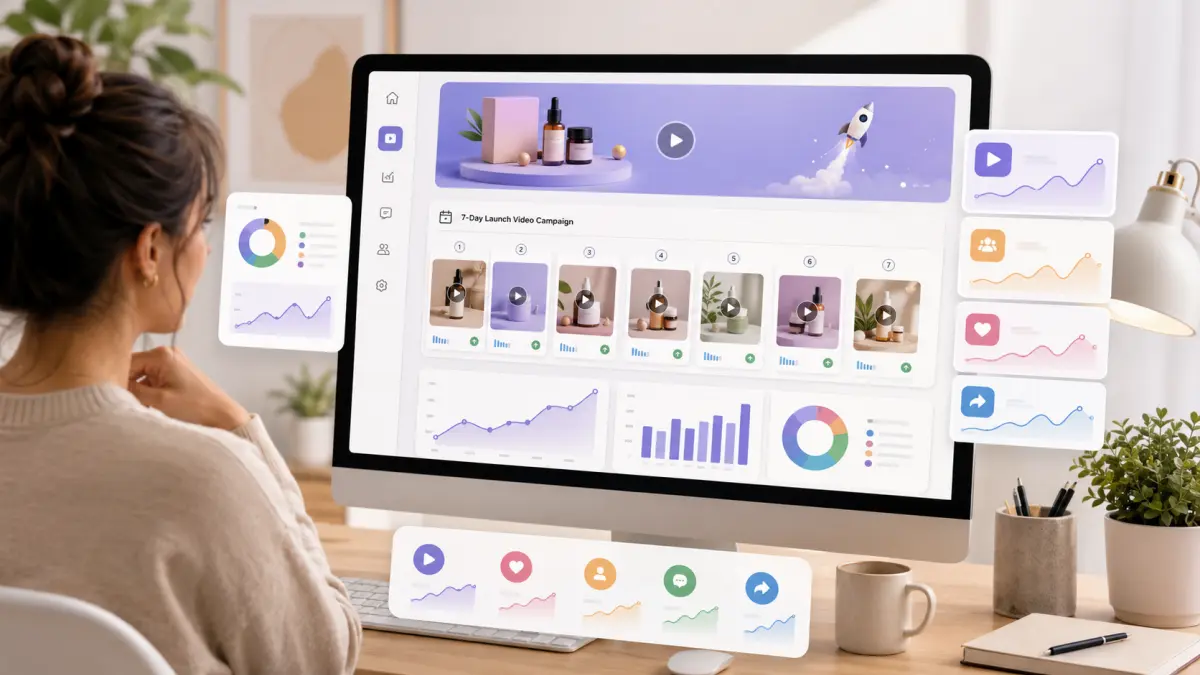
A 7-day launch campaign should not be judged only by views. Views are useful, but they do not tell the whole story.
Small brands should look at performance based on the role of each asset.
For teaser videos, useful metrics include watch time, completion rate, shares, saves, and replies. These show whether the campaign is creating curiosity.
For product page videos, useful metrics include time on page, add-to-cart rate, scroll behavior, and conversion rate. These show whether motion is helping customers understand or trust the product.
For paid ad versions, the brand should compare click-through rate, cost per click, conversion rate, and creative fatigue. A slightly less polished video may perform better if the message is clearer.
For email banners, useful metrics include click-through rate and revenue per send. The goal is not just to make the email look better, but to move subscribers toward the product page.
Conclusion: One Product Photo Can Become a Launch System
For a small e-commerce brand, one product photo does not have to remain a static asset. With the right creative direction, it can become the foundation of a full launch campaign.
A teaser can create anticipation. A detail clip can highlight texture. A product page animation can support conversion. A lifestyle variation can create mood. Paid ad versions can test different angles. Email and landing page banners can add polish. A launch-day reveal can bring the campaign together.
That is the practical value of a photo to video ai workflow. It gives small teams a way to create more motion content from the assets they already have, without turning every campaign into a full production project.
The strongest AI-generated product videos are not necessarily the most dramatic. They are the ones that protect the product, match the platform, support the message, and make the customer more confident about what they are seeing.
For small brands preparing their next launch, a single product photo may be enough to start. The real opportunity is learning how to turn that photo into a focused, useful, and measurable video campaign.