
 ChatGPT
 Perplexity
 Gemini
 Claude
Sora was exciting because it made AI video feel close to a general creative tool. But if your real workflow is simpler - upload one photo, add motion, export a short clip - the question in 2026 is no longer "How do I get into Sora?"
The better question is:
Which Sora alternative can turn this specific photo into a usable video with the least friction, the right level of control, and export rules I can trust?
That distinction matters. A cinematic text-to-video model may be impressive, but it can still be too slow, expensive, complex, or uncertain for product photos, portraits, old family photos, thumbnails, social clips, and ad tests.
This guide compares the best Sora alternatives for photo to video in 2026 by practical workflow: image input, motion control, free limits, watermarks, editing depth, speed, and when each tool is worth choosing.
Quick Answer
The best Sora alternative for photo to video depends on what you used Sora for.
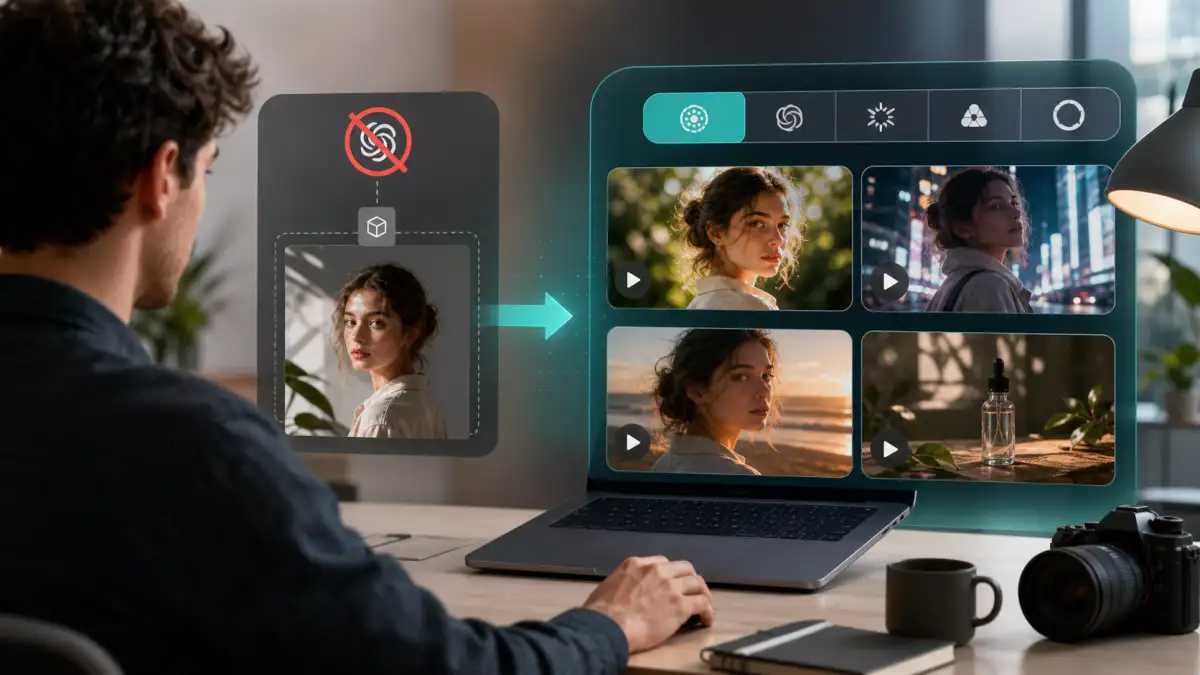
If you want the easiest way to test a single image, start with PhotoToVideoAI. It is built around the photo-to-video task, so you can upload an image, write a motion prompt, and switch between supported models without rebuilding the workflow from scratch each time. If you want stronger motion control, try Kling. If you want cinematic output, audio, or API-oriented generation, look at Google Veo and Gemini video generation. If you need a fuller creator suite with editing, references, and team workflow, Runway is the stronger fit.
For social effects and stylized clips, Pika and Vidu are useful. For fast image-to-video experiments, Hailuo is worth testing. For cinematic mood shots, Luma Dream Machine can still be part of the shortlist. For control-heavy or open-model-style workflows, Wan-based routes are worth watching, especially when you need start-frame or reference-driven experiments.
The practical shortcut: instead of opening every tool separately, you can switch between these photo-to-video models inside PhotoToVideoAI and compare which one handles your image best.
Why Look for Sora Alternatives Now?
OpenAI's own help center says the Sora web and app experiences were discontinued on April 26, 2026, and that the Sora API will be discontinued on September 24, 2026. The same notice recommends exporting Sora content as soon as possible because data associated with Sora use may be deleted after discontinuation and any final export window.
That changes the search intent behind "Sora alternative." This is not only about curiosity or quality comparison. It is a migration problem.
If you created prompts, client drafts, product shots, social concepts, or family-photo experiments in Sora, you need a new workflow that can handle:
- A starting image, not only a text prompt
- Short 4-10 second clips
- Stable faces, products, clothing, hands, and backgrounds
- Vertical, square, and widescreen exports
- Clear credit and watermark rules
- Repeatable tests across more than one model
The goal is not to find one tool that is "exactly Sora." The goal is to rebuild the photo-to-video job in a way that stays available after Sora is gone.
What Makes a Good Sora Alternative for Photo to Video?
A good Sora replacement for photo-to-video work should be judged differently from a general AI video generator.
The tool must start from your image and respect it. That sounds obvious, but it is the main difference between a useful photo animation workflow and a model demo that invents too much.
| What to check | Why it matters for photo to video |
|---|---|
| Image-to-video input | You need the uploaded photo to become the first frame or visual anchor. |
| Subject preservation | Faces, product packaging, clothing, logos, and background details should not drift wildly. |
| Motion control | The model should respond to camera moves such as push-in, pan, tilt, orbit, or tracking. |
| Duration options | Most photo-to-video clips only need 4-10 seconds, but the duration should fit the platform. |
| Aspect ratios | 9:16 works for TikTok, Reels, and Shorts; 16:9 works for YouTube and landing pages. |
| Free credits | Free access is useful for tests, but usually not enough for production. |
| Watermark policy | A preview can be watermarked; a publish-ready ad or client asset usually cannot. |
| Commercial rights | Clean export and business use are separate questions. |
| Learning curve | Some tools are simple generators; others are full creative suites. |
When in doubt, test the same image across two or three models before paying for a large plan. A model that looks best on cinematic examples may not be the best model for a product label, portrait, or old photograph.
Quick Comparison Table
Use this as a starting point, not a permanent pricing sheet. Credits, watermarks, model access, and commercial terms change quickly, so always check the current plan page before publishing.
| Tool | Best for | Photo-to-video strength | Free or paid reality | Main limitation |
|---|---|---|---|---|
| PhotoToVideoAI | Fast model switching from one photo | Low-friction upload, prompt, compare, export workflow | Built for testing photo-to-video ideas before choosing a model path | Final limits depend on selected model and plan |
| Kling AI | Controlled motion and character/object consistency | Strong camera language, motion control, start/end frame workflows | Usually credit-based; verify watermark and plan rules before export | More prompt discipline required |
| Google Veo / Gemini video | Cinematic generation, native audio, API workflows | Strong for high-quality scenes and image-based direction | API and product access rules can vary by region and account | More technical than a simple web generator |
| Runway | Creator suite, editing, references, production workflow | Gen-4.5 image-to-video plus editor, assets, team workflow | Official pricing currently lists a Free plan and paid tiers with more credits | Heavy if you only need one quick photo animation |
| Hailuo / MiniMax | Fast image-to-video tests and dynamic motion | Hailuo 2.3 supports image input, 768p/1080p, and 6s/10s options through partner workflows | Access and limits vary by platform integration | Less predictable for delicate identity preservation |
| Vidu | First/last frame control, stylized clips, anime, social ideas | Clear image-to-video and reference-to-video positioning | Free claims should be verified at export | Can feel more template-like depending on use case |
| Pika | Social effects, playful edits, quick variations | Useful for image-to-video effects and lightweight creative experiments | Pricing page currently shows Basic monthly credits and no-watermark downloads | Not always best for strict product accuracy |
| Luma Dream Machine | Cinematic mood shots and visual exploration | Good for atmospheric scene motion and concept testing | Plan access and queue behavior should be checked before production | Control can be less direct for product or portrait preservation |
| Wan-based routes | Technical users, reference control, open-model experiments | Useful when you want model-specific control and frame-driven workflows | Depends on host platform or API route | More setup and parameter knowledge required |
Best Sora Alternatives Ranked
The ranking below is practical rather than hype-based. It assumes your starting point is a photo, not a blank text prompt.
1. PhotoToVideoAI: Best Low-Friction Sora Alternative for Photo to Video
PhotoToVideoAI is the best starting point when the job is simple: upload one image, describe the motion, choose a model, and compare results without turning the project into a full editing setup.
That matters because many Sora users were not making long films. They were testing short moving assets: a portrait blink, a product reveal, a real estate photo push-in, a thumbnail animation, a travel image, or a social hook.
Best for: creators who want one place to test photo-to-video models.
Key strengths:
- Photo-first workflow
- Simple prompt iteration
- Model switching without rebuilding the task
- Better fit for portraits, product images, old photos, and social clips than a pure text-to-video workflow
- Good first step before deciding whether a heavier creator suite is worth it
Limitations:
- You still need to match the model to the image
- Higher-quality or no-watermark publishing may depend on the plan and selected model
- Bad source photos still produce unstable videos
Choose PhotoToVideoAI if your first question is, "Can this image become a usable video?" rather than "Which full AI studio should I subscribe to?"
2. Kling AI: Best for Motion Control and Subject Consistency
Kling is one of the strongest Sora alternatives when you care about controlled movement. Its official materials emphasize camera language and multi-shot control, plus motion control and start/end frame workflows, which are all useful for image-to-video generation.
For photo-to-video users, Kling is especially relevant when you need:
- A slow push-in on a portrait
- A product hero shot with controlled camera movement
- A start frame and end frame transition
- Character or object stability
- More deliberate prompting than a one-click effect tool
The tradeoff is learning curve. Kling rewards precise prompts. "Make this cinematic" is less reliable than a prompt that says what should move, what should stay fixed, how the camera moves, and what the model must not change.
Choose Kling if you want control and are willing to write tighter prompts.
3. Google Veo and Gemini Video: Best for Cinematic and API Workflows
Google's video generation documentation now positions Gemini Omni Flash and Veo for different video workflows. The docs describe Gemini Omni Flash as a fast multimodal model for video generation and conversational video editing, while Veo 3.1 supports capabilities such as native audio, video extension, frame-specific generation, and image-based direction.
That makes Google's route a strong Sora alternative for teams that need more than a casual web upload:
- API access
- Image-based direction
- Cinematic scenes
- Video extension
- Audio-aware generation
- Multi-turn refinement in compatible workflows
For a casual user, this can be more complex than necessary. For a developer, agency, or production team, it may be one of the most important Sora migration paths.
Choose Veo or Gemini video if you care about high-end generation, audio, API control, or integration into a larger product workflow.
4. Runway: Best for a Full Creator Suite
Runway is not just a generator. It is closer to a creative video workspace.
Runway Academy has a dedicated Gen-4.5 image-to-video tutorial, and Runway's pricing page currently lists a Free plan with one-time credits plus paid plans with larger monthly credit allocations. The Standard plan listing also shows no-watermark exports, which is important for users comparing free tests against publish-ready output.
Runway is a good Sora alternative if you need:
- Image-to-video generation
- A video editor around the model
- Reference workflows
- Asset storage
- Team or professional use
- More than one generation mode
The downside is weight. If you only want to animate one product photo for a 6-second TikTok test, Runway may feel like more workspace than you need.
Choose Runway if you want an AI video studio, not just a photo-to-video button.
5. Hailuo / MiniMax: Best for Fast Dynamic Image-to-Video Tests
MiniMax's Hailuo 2.3 announcement with VEED says Hailuo 2.3 supports text and image inputs, 768p or 1080p output, and 6 or 10 second durations through that partner workflow. It also describes Hailuo 2.3 Fast as image-input-only, producing 6-second 768p clips quickly.
That makes Hailuo a strong candidate for users who want fast visual tests:
- Social concepts
- Dynamic movement
- Short clips
- Style transformations
- Quick product or creator experiments
The caution: speed and motion can be a double-edged sword. If the source image is a delicate face, old family portrait, or product label, keep the motion restrained and review individual frames before publishing.
Choose Hailuo if speed and dynamic motion matter more than heavy editing depth.
6. Vidu: Best for First/Last Frame and Stylized Image-to-Video Workflows
Vidu's image-to-video page focuses heavily on uploading an image, defining motion, and generating smooth video. It also highlights first-and-last-frame control, which is valuable when you want a specific beginning and ending rather than a model guessing the entire movement.
Vidu is useful for:
- Anime and illustration clips
- Social videos
- Product motion concepts
- Old memory animations
- First/last frame transitions
- Reference-to-video workflows
The main caveat is that stylized workflows can look good quickly but may feel less precise for strict commercial product accuracy. Test it with the exact type of image you intend to publish.
Choose Vidu if you want a friendly image-to-video workflow with frame control and stylized motion options.
7. Pika: Best for Social Effects and Playful Variations
Pika is a good Sora alternative when the output goal is social attention rather than exact realism. Its pricing page currently lists a Basic plan with monthly video credits and no-watermark downloads, plus access to image-to-video-style effects.
This makes Pika worth testing for:
- Playful social edits
- Quick variations
- Creator experiments
- Effect-driven clips
- Short-form content hooks
It is not always the first choice for product ads, old-photo preservation, or identity-sensitive portraits. Those jobs need more conservative motion and stricter subject preservation.
Choose Pika if your goal is fun, shareable, effect-driven short video.
8. Luma Dream Machine: Best for Cinematic Mood Exploration
Luma Dream Machine remains useful when the goal is visual mood, atmosphere, and cinematic exploration. It can be a good fit for landscapes, concept art, interior shots, campaign moodboards, and visual direction tests.
For strict photo-to-video work, treat it as a candidate rather than a default. Some images need more direct subject control than a cinematic model provides.
Choose Luma when the image is a scene or concept and the goal is mood, not exact preservation of a product label or facial identity.
9. Wan-Based Routes: Best for Technical Control and Model Experimentation
Wan-based workflows can be useful for users who want more technical control, reference-driven testing, or a model-specific route through a host platform or API. This is less beginner-friendly than a simple web tool, but it can matter for advanced users comparing image-to-video models across parameters, resolutions, or frame controls.
Choose Wan-based routes if you are comfortable with model settings and want to compare generation behavior more deeply.
Best Free or Low-Friction Sora Alternatives
Free is helpful, but it is not the same as publish-ready.
When users search for a free Sora alternative, they often want four different things at once:
- Free generation
- No watermark
- Commercial use
- Enough credits to test multiple prompts
Those are separate promises. A tool can offer free credits but watermark the export. Another can offer no-watermark downloads but limit resolution, commercial use, or monthly volume. Another can let you preview a clip but require payment for clean download.
If free access matters most, start with a low-friction photo-to-video workflow and test only one variable at a time:
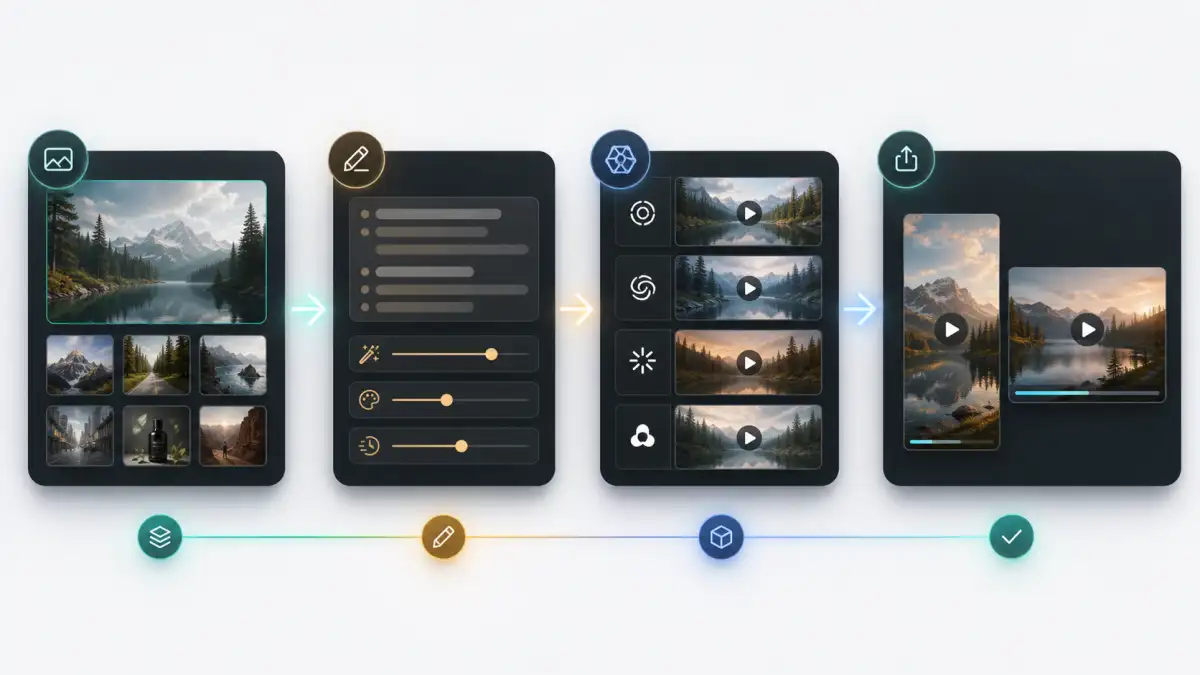
- Upload the same image.
- Use a short prompt with one camera move.
- Generate the shortest useful duration.
- Review the result frame by frame.
- Check watermark, resolution, and license before using the video publicly.
For a broader free-tool breakdown, you can also compare free photo-to-video limits before you commit to a tool.
Best Sora Alternatives by Workflow
Different photo types need different models. A tool that is great for dynamic action can be too aggressive for old portraits. A cinematic model can be beautiful but unstable for product labels.
| Workflow | Best starting point | Prompt focus | Avoid |
|---|---|---|---|
| Portrait animation | PhotoToVideoAI, Kling, Vidu | Small expression, slow push-in, identity preservation | Talking, dancing, large head turns |
| Product photo video | PhotoToVideoAI, Kling, Runway | Keep shape, label, logo, material unchanged | Orbiting too far around unseen sides |
| Old family photo | PhotoToVideoAI, Vidu, Kling | Gentle motion, preserve age and expression | Modernizing the face, exaggerated smile |
| TikTok/Reels hook | PhotoToVideoAI, Pika, Hailuo | 9:16 crop, one clear movement, strong first frame | Overloaded scene changes |
| Cinematic scene | Veo, Runway, Luma | Lighting, camera language, mood, continuity | Tiny text or product detail |
| First/last frame transition | Kling, Vidu, Wan routes | Matching start and end frames, smooth transition | Frames with unrelated subjects |
| API or product integration | Gemini video, Runway API, model hosts | Reliability, logging, cost, rights | Building on a tool with uncertain access |
The safe first prompt is usually simple:
Animate this image into a short realistic video. Keep the main subject, face, clothing, product shape, logo, and background consistent. Add a slow cinematic push-in with subtle natural motion. No cuts, no new objects, no face distortion, no warped hands, no text changes.Then adapt it by scene:
- Portrait: add "subtle blink, relaxed breathing, no talking."
- Product: add "keep label and packaging perfectly unchanged."
- Old photo: add "preserve the original age, era, film texture, and expression."
- Social clip: add "vertical 9:16 composition, clear motion in the first two seconds."
How to Move a Sora Photo-to-Video Workflow
Use migration as a cleanup moment. Do not only copy prompts from Sora into another tool and hope they behave the same way.
Step 1: Export Old Sora Assets
If you still have access to an export route, export your Sora videos, prompts, source images, and project notes first. OpenAI's discontinuation page points users to the Sora sunset export flow and recommends exporting content as soon as possible.
Save:
- Original source images
- Final exported videos
- Prompt text
- Aspect ratio and duration notes
- Client approvals or usage notes
- Any reference images used in the project
Step 2: Rebuild Prompts Around the Image
Sora prompts may have been written for broad video generation. For photo-to-video migration, rewrite them around preservation.
Instead of:
Create a dramatic cinematic product video with sweeping camera motion.Use:
Create a 6-second product video from this image. Keep the product shape, label, logo, color, and background unchanged. Add a slow push-in and soft studio light movement. No rotation beyond visible product details, no new text, no warped packaging.The second prompt gives the new model less room to invent.
Step 3: Test One Model at a Time
Do not compare tools with different prompts, durations, and aspect ratios. That makes the test noisy.
Use the same source image, same duration, same ratio, and same base prompt across two or three models. Then compare:
- Subject stability
- Face or product accuracy
- Motion realism
- Background drift
- Export quality
- Credit cost
- Watermark rules
- Time to usable result
This is where a model-switching workflow helps. You can test the same image in PhotoToVideoAI first, then move the winning direction into a heavier tool only if you need advanced editing.
Step 4: Create a Small Prompt Library
Keep the prompts that work. Separate them by use case:
- Portrait prompts
- Product prompts
- Old-photo prompts
- Social hook prompts
- Cinematic scene prompts
- First/last frame prompts
The real value is not one perfect model. It is a repeatable workflow that lets you test new models without relearning the whole process every time.
Common Mistakes When Replacing Sora
| Mistake | Why it causes problems | Better approach |
|---|---|---|
| Choosing by demo quality only | Demo videos may not match your image type | Test your own source photo |
| Asking for too much motion | The model invents hidden details and distorts the subject | Start with subtle camera movement |
| Treating free as no-watermark | Free plans often separate preview from clean export | Check the final download screen |
| Ignoring commercial rights | A clean file may still have usage limits | Read current plan terms before ads or client work |
| Comparing tools with different prompts | You cannot tell whether the model or prompt caused the difference | Use one base prompt across tools |
| Publishing the first good preview | Artifacts often appear in middle frames | Pause on first, middle, and last frames |
FAQ
Is Sora still available in 2026?
No for the web and app experiences. OpenAI says Sora web and app were discontinued on April 26, 2026. The Sora API is scheduled for discontinuation on September 24, 2026. If you have old projects, export them as soon as possible.
What is the best Sora alternative for image to video?
For most photo-to-video users, the best starting point is PhotoToVideoAI because it keeps the workflow focused on uploading one image, writing a motion prompt, and switching between supported models. Kling is stronger for control, Veo is stronger for cinematic or API workflows, and Runway is stronger for full production editing.
Is there a free Sora alternative with no watermark?
Sometimes, but do not assume it. Free credits, no-watermark export, commercial use, high resolution, and fast queues are separate limits. Check the current pricing page and export screen before using any result publicly.
Which Sora alternative is best for product videos?
Start with PhotoToVideoAI or Kling if you need the product to stay stable. Use restrained camera movement such as a slow push-in, slight turntable feel, or soft lighting shift. Avoid prompts that rotate the product too far because the model may invent unseen sides.
Which Sora alternative is best for portraits?
Use a model and prompt that preserve identity. Ask for subtle blink, breathing, a small head movement, or a slow camera push-in. Avoid talking, dancing, dramatic smiles, or fast emotion changes unless the tool is specifically designed for that output.
Is Runway better than Kling as a Sora alternative?
Runway is better if you want a full creative suite with editing, assets, and production workflow. Kling is better if your priority is controlled image-to-video motion and prompt precision. For a single quick photo animation, test both with the same image before choosing.
Is Veo a good Sora replacement?
Veo and Gemini video generation are strong options for cinematic generation, audio-aware workflows, API use, and advanced video capabilities. They may be more technical than necessary if you only need a simple photo-to-video clip.
Can I use Sora alternatives commercially?
It depends on the tool, plan, model, and source image rights. Always check the current license before using generated video in ads, client work, product pages, monetized channels, or paid campaigns.
Conclusion
The best Sora alternative is not one universal winner. It is the tool that fits your specific photo, motion style, budget, export needs, and tolerance for complexity.
Use PhotoToVideoAI when you want a fast way to test one image across supported photo-to-video models. Use Kling when control matters. Use Veo or Gemini video when cinematic generation and API routes matter. Use Runway when you need a broader creator suite. Use Hailuo, Vidu, Pika, Luma, or Wan-based routes when their specific strengths match the image in front of you.
Sora made many users take AI video seriously. The better 2026 workflow is more flexible: keep your source photos, write preservation-first prompts, compare models before committing, and use PhotoToVideoAI when you want to switch between photo-to-video models in one place.