
 ChatGPT
 Perplexity
 Gemini
 Claude
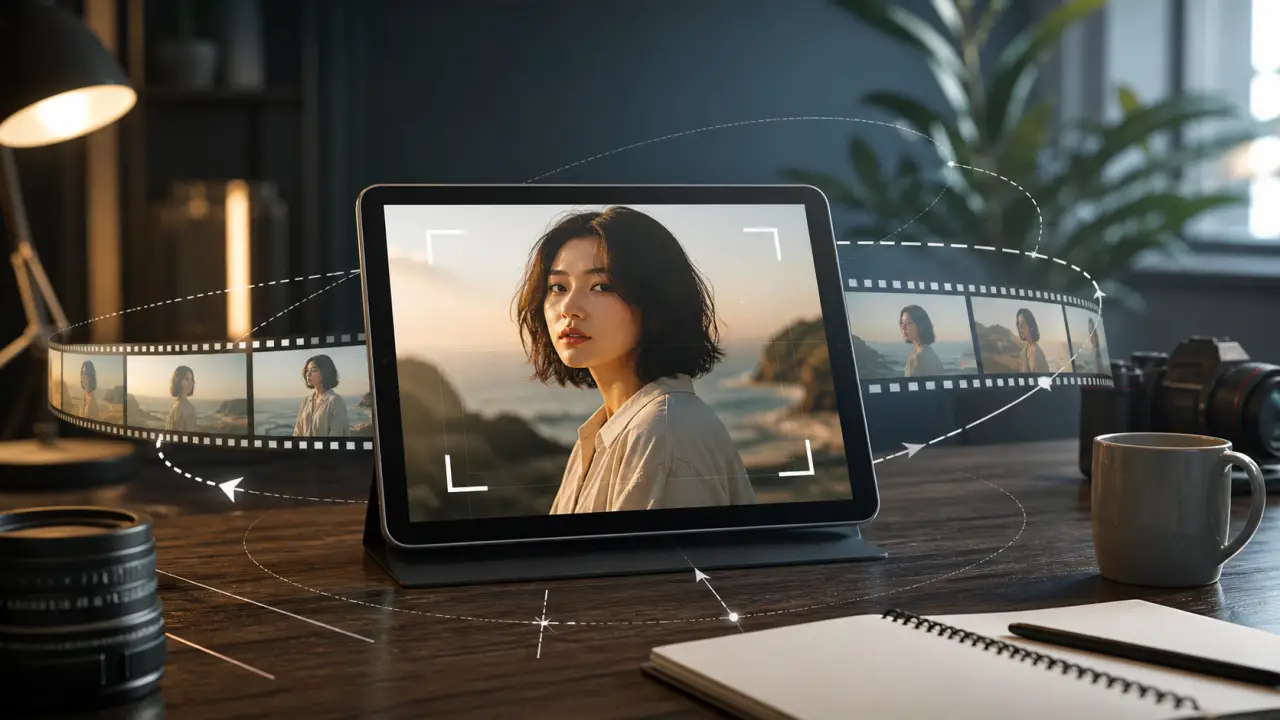
Most image-to-video prompts fail in the same quiet way: the video moves, but the camera does not feel directed.
The subject floats. The background stretches. The shot drifts without purpose. A portrait starts with a cinematic push-in, then suddenly turns into a shaky close-up. A product video tries to orbit the bottle and ends with a label that no longer looks like the original product.
The fix is not to write "more cinematic." The fix is to give the model a real shot plan: one camera move, a starting frame, a direction, a speed, a subject anchor, and clear constraints.
Quick Answer
To create real camera movement in image-to-video AI, use one camera move per prompt and describe it like a short shot: the subject, the starting frame, the camera direction, the speed, the subject motion, the lighting, and what must stay unchanged. Start with safer moves such as a locked-off shot, slow push-in, gentle pull-back, pan, or tilt before trying orbit, tracking, or handheld movement.
A reliable prompt looks like this:
[Shot type] of [subject]. [Small subject motion]. The camera [specific movement] [direction] at a [speed] pace. [Lighting and style]. Keep [identity/product/background] unchanged. No cuts, no warping, no extra limbs, no text changes. Duration [x] seconds, aspect ratio [x:y].If you want to compare results quickly, test a subtle push-in and a stronger camera move on the same image. Keep the image, duration, and aspect ratio the same so the camera prompt is the only major variable.
The Camera Movement Prompt Formula
Camera movement is not just a flourish. It tells the model how the frame should change over time.
Google DeepMind's Veo prompt guide treats shot framing and camera motion as prompt elements, alongside subject, lighting, and style. Kling's camera movement guide also separates camera controls such as zoom, pan, tilt, roll, and combined master shots. Alibaba Cloud's Wan 2.7 image-to-video API shows why first-frame direction matters: the model can generate from a first frame, a first and last frame, or continue video from existing media.
For everyday image-to-video prompting, keep the formula simple:
| Prompt part | What to write | Why it matters |
|---|---|---|
| Shot type | Close-up, medium shot, wide shot, product hero shot, portrait shot | Sets the frame before motion begins |
| Subject anchor | The person, product, room, landscape, object, or character that must stay stable | Prevents the model from changing the main subject |
| Camera move | Push-in, pull-back, pan, tilt, orbit, tracking, locked-off, handheld | Gives the shot a clear visual direction |
| Speed and direction | Slowly, gently, left to right, upward, forward, clockwise | Removes vague movement and reduces random drift |
| Subject motion | Tiny smile, fabric moves, steam rises, leaves sway, product stays still | Separates subject action from camera action |
| Lighting and style | Soft studio light, golden hour, realistic product ad, documentary | Keeps the visual tone consistent |
| Constraints | No cuts, no face morphing, keep label unchanged, keep background stable | Protects the details that matter |
| Output details | 5 seconds, 9:16, 16:9, no text overlays | Keeps the generation short and production-ready |
Camera Moves That Work Best From One Image
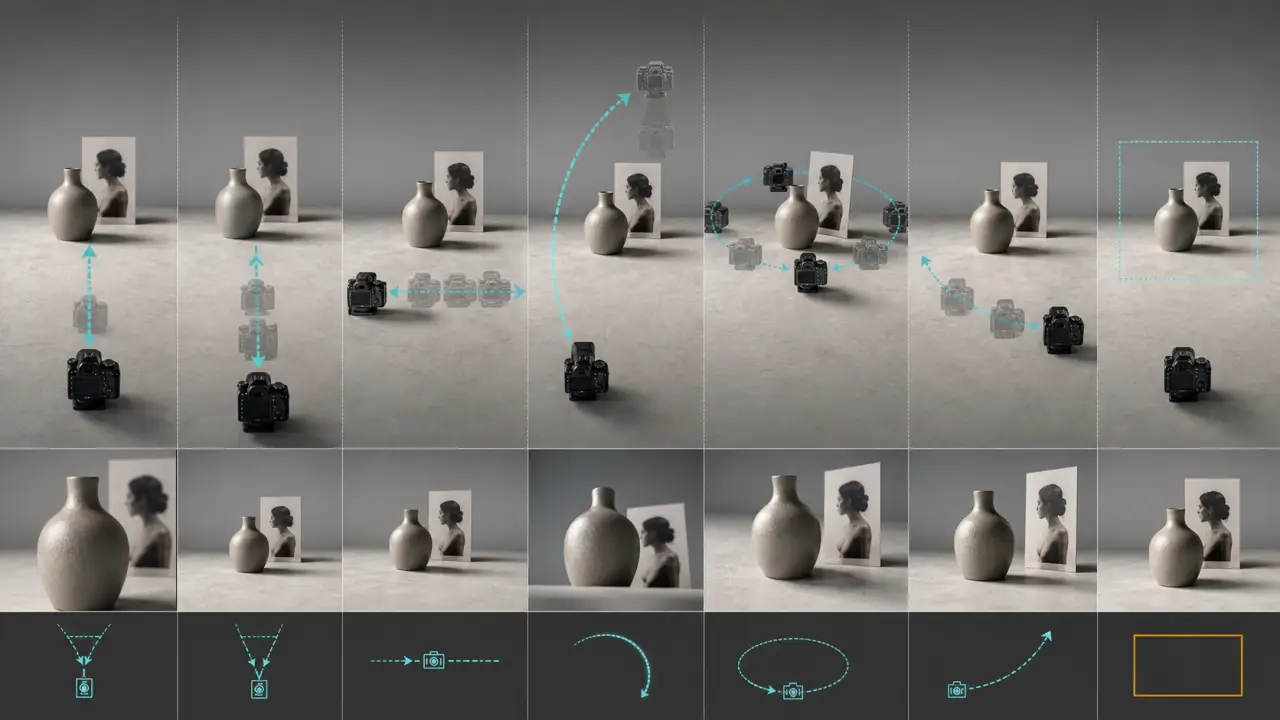
Not every camera move is equally safe when the model only has one source image. A still image gives the model the first frame, but it does not fully reveal the side, back, hidden hands, product depth, or background geometry. The more your camera move reveals unseen information, the more the model has to guess.
Use this table before choosing a prompt:
| Camera move | Best for | Risk level | Prompt focus |
|---|---|---|---|
| Locked-off shot | Old photos, portraits, product shots, brand assets | Low | Keep the camera still and add only environmental or tiny subject motion |
| Slow push-in | Portraits, products, food, real estate, hero images | Low | Move forward gently while preserving the subject |
| Gentle pull-back | Landscapes, rooms, product scenes with background space | Low to medium | Reveal more context without changing the subject |
| Pan | Wide scenes, landscapes, rooms, storefronts, group photos | Medium | Move left to right or right to left with stable perspective |
| Tilt | Buildings, full-body fashion shots, tall products, interiors | Medium | Move up or down without changing identity or proportions |
| Tracking shot | Walking subjects, vehicles, pets, product-on-table scenes | Medium to high | Follow the subject while keeping distance and angle stable |
| Orbit | Products, statues, cars, simple 3D objects | High | Use a partial orbit, not a full 360-degree turn |
| Handheld | Documentary, travel, street scenes, behind-the-scenes clips | High | Keep the shake subtle and avoid faces or small text |
| Dolly zoom | Stylized drama, landscapes, horror, surreal social clips | Very high | Use only when distortion is acceptable |
The practical rule: if the uploaded image contains a face, a logo, a label, a hand, or a beloved family photo, start with low-risk movement. If the subject is a simple object with visible depth, you can test stronger moves.
Copy-Paste Camera Movement Prompts
Use these prompts as templates. Replace the bracketed details with your own image, then keep the camera move intact for the first test.
Portrait And Character Prompts
- Natural portrait push-in
Medium portrait shot of [person]. The person keeps the same face, hairstyle, and outfit with a calm natural expression. The camera slowly pushes in toward the face, smooth and steady, with soft natural light. Keep identity unchanged, no face morphing, no new accessories, no cuts. Duration 5 seconds, aspect ratio 9:16.- Subtle profile pan
Profile portrait of [person]. The person makes a tiny relaxed head movement while staying recognizable. The camera gently pans from left to right across the portrait, slow and cinematic. Keep the same facial features, hairline, clothing, and background. No warping, no sudden zoom, no extra people. Duration 5 seconds, aspect ratio 16:9.- Locked-off headshot with ambient motion
Close-up headshot of [person]. The camera remains locked off and stable. Only subtle ambient motion appears: soft breathing, a tiny eye movement, and gentle light movement across the face. Keep identity, face shape, hairstyle, and expression consistent. No camera shake, no cuts, no face distortion. Duration 5 seconds, aspect ratio 1:1.- Gentle pull-back for a fashion portrait
Fashion portrait of [person] wearing [outfit]. The camera slowly pulls back from a medium close-up to reveal more of the outfit and background. The subject remains centered and still, with only light fabric movement. Keep the face, outfit colors, body proportions, and background stable. No style change, no hand distortion, no cuts. Duration 6 seconds, aspect ratio 9:16.- Tiny handheld documentary feel
Documentary-style portrait of [person] in [place]. The camera has a very subtle handheld feel, like a real camera operator standing still, with no large shake. The subject makes a small natural smile. Keep the same identity, clothing, and lighting. No face morphing, no zoom jumps, no exaggerated motion. Duration 5 seconds, aspect ratio 16:9.If the subject changes identity, pause the camera experiment and reduce character drift before adding heavier camera movement.
Product And E-Commerce Prompts
- Premium product push-in
Product hero shot of [product] on [surface]. The product stays completely still while the camera slowly pushes in toward the label. Soft studio reflections move gently across the material. Keep the product shape, logo, label, color, and packaging unchanged. No melting, no text changes, no extra objects, no cuts. Duration 5 seconds, aspect ratio 9:16.- Product pull-back reveal
Clean product shot of [product]. The camera slowly pulls back to reveal more negative space around the product for ad text. The product remains sharp and centered, with subtle light movement in the background. Keep all packaging details unchanged. No label distortion, no logo mutation, no camera shake. Duration 6 seconds, aspect ratio 16:9.- Partial orbit for a simple object
Studio shot of [simple product/object] with clear visible depth. The camera performs a slow partial orbit, about 20 degrees clockwise, keeping the object centered. Use realistic perspective and soft studio light. Keep the product shape, material, label, and color unchanged. No full 360 turn, no text distortion, no object bending. Duration 5 seconds, aspect ratio 1:1.- Sideways slider move
Product shot of [product] on a clean table. The camera slides slowly from left to right like a real slider shot, maintaining the same distance from the product. The product stays still and accurate. Keep the label readable, packaging unchanged, and background stable. No zoom, no rotation, no new props. Duration 5 seconds, aspect ratio 16:9.- Food close-up tilt
Close-up food photo of [dish]. The camera slowly tilts downward from the top edge of the dish toward the front texture. Steam or small highlights move gently. Keep the food shape, plate, colors, and background consistent. No melting, no extra ingredients, no sudden camera move. Duration 5 seconds, aspect ratio 9:16.Old Photo And Memory Prompts
- Gentle old-photo push-in
Restored old family photo of [person or group]. The camera slowly pushes in with a respectful documentary feel. Only tiny natural motion appears in the eyes and posture. Keep the original face, clothing, age, and historical look unchanged. No modern objects, no exaggerated smile, no face morphing, no cuts. Duration 5 seconds, aspect ratio 4:5.- Locked-off memory animation
Vintage portrait photo of [person]. The camera remains locked off, as if the old photo is coming gently to life. Add only subtle breathing, small eye movement, and soft light movement. Preserve the original identity, clothing, hairstyle, and photo texture. No dramatic acting, no speech, no background changes. Duration 5 seconds, aspect ratio 1:1.- Slow pan across a family group
Old family group photo with [number] people. The camera slowly pans from left to right across the group, keeping every face and outfit stable. Add only very subtle natural movement. Preserve the historical photo style and original identities. No new people, no face swapping, no modern background, no cuts. Duration 6 seconds, aspect ratio 16:9.- Album-style pull-back
Old photo placed on a clean album page. The camera slowly pulls back to reveal the photo as part of a quiet memory scene. The people inside the photo remain accurate and gently animated. Keep the original faces, clothing, and photo grain. No text overlays, no dramatic movement, no identity change. Duration 6 seconds, aspect ratio 16:9.Real Estate And Interior Prompts
- Interior push-in
Wide interior photo of [room]. The camera slowly pushes forward through the room from the original angle, like a real estate walkthrough. Keep walls, furniture, windows, and floor layout unchanged. Add only subtle natural light movement. No invented rooms, no furniture warping, no fisheye distortion. Duration 6 seconds, aspect ratio 16:9.- Room pan
Clean wide photo of [room]. The camera gently pans from left to right, revealing the space while preserving the original layout. Keep all furniture, window placement, wall lines, and materials stable. No extra doors, no new decor, no stretching, no cuts. Duration 6 seconds, aspect ratio 16:9.- Exterior tilt-up
Exterior photo of [building or house]. The camera slowly tilts upward from the entrance toward the roofline, keeping vertical lines straight and realistic. Natural light shifts slightly. Preserve architecture, windows, signage, and landscaping. No warped walls, no fake additions, no dramatic weather change. Duration 5 seconds, aspect ratio 9:16.- Balcony pull-back reveal
Photo from a balcony or window overlooking [view]. The camera slowly pulls back from the view to reveal a little more of the room edge or balcony frame. Keep the original perspective and view stable. No invented skyline, no bent railings, no sudden zoom. Duration 5 seconds, aspect ratio 16:9.Travel, Landscape, And Lifestyle Prompts
- Landscape pan
Wide landscape photo of [place]. The camera slowly pans from left to right across the scene, with natural atmospheric motion in clouds, water, or trees. Keep mountains, buildings, horizon, and foreground stable. No impossible perspective shift, no cuts, no new landmarks. Duration 6 seconds, aspect ratio 16:9.- Golden-hour push-in
Golden-hour travel photo of [subject or place]. The camera gently pushes in toward the main subject while light and atmosphere move softly. Keep the subject, horizon, and background geometry stable. No camera shake, no warped people, no oversaturated sky. Duration 5 seconds, aspect ratio 9:16.- Tracking-style street scene
Street photo of [person, vehicle, or scene]. The camera tracks slowly alongside the main subject from a stable side angle, as if filmed on a smooth gimbal. Keep the subject size and perspective consistent. Add subtle background motion only. No face changes, no car warping, no jump cuts. Duration 5 seconds, aspect ratio 16:9.- Static cinematic landscape
Cinematic landscape photo of [place]. The camera stays locked off like a tripod shot. Only natural environment movement appears: clouds drift slowly, leaves move gently, water reflects light. Keep all landforms, buildings, and horizon lines unchanged. No zoom, no pan, no invented objects. Duration 6 seconds, aspect ratio 16:9.Anime, Illustration, And Social Clips
- Anime push-in
Anime-style illustration of [character]. The camera slowly pushes in toward the character's face with subtle hair and clothing movement. Keep the same art style, eye shape, hairstyle, outfit, and colors. No style shift, no extra characters, no face morphing, no cuts. Duration 5 seconds, aspect ratio 9:16.- Comic panel pan
Illustrated scene of [character or environment]. The camera slowly pans across the composition like a motion comic panel. Add subtle parallax between foreground and background. Keep line art, colors, character design, and scene layout consistent. No new panels, no text changes, no style mixing. Duration 5 seconds, aspect ratio 16:9.- Social hook zoom
Vertical social clip from a still image of [subject]. The camera performs a slow clean zoom toward the most important detail during the first two seconds, then holds steady. Keep the subject accurate and leave clean space for captions. No sudden shake, no text overlays, no background melting. Duration 5 seconds, aspect ratio 9:16.- Dynamic but safe handheld
Stylized creator shot of [subject]. The camera uses very mild handheld movement, as if filmed by a real person holding a phone steadily. The subject motion is small and controlled. Keep the same character, outfit, colors, and background. No wild shake, no motion blur over the face, no jump cuts. Duration 5 seconds, aspect ratio 9:16.Advanced Camera Prompts
- Partial orbit with preservation
Medium shot of [subject] with clear depth. The camera performs a slow partial orbit, no more than 15 degrees, while keeping the original viewpoint mostly intact. The subject remains centered and recognizable. Keep face, body, clothing, and background consistent. No full rotation, no hidden-side invention, no morphing. Duration 5 seconds, aspect ratio 16:9.- Foreground parallax move
Photo of [subject] with a clear foreground and background. The camera slides slowly to the right, creating gentle parallax between foreground and background. Keep the subject stable and the perspective realistic. No object duplication, no background stretching, no sudden zoom. Duration 5 seconds, aspect ratio 16:9.- Slow crane-up feeling
Wide shot of [scene]. The camera slowly rises upward as if on a small crane, revealing slightly more of the scene from above while keeping perspective natural. Keep architecture, people, and background geometry unchanged. No drone-like speed, no warped vertical lines, no cuts. Duration 6 seconds, aspect ratio 16:9.- Controlled dramatic pull-back
Cinematic shot of [subject]. The camera begins close and slowly pulls back to reveal the surrounding environment, smooth and steady. The subject stays centered and unchanged. Lighting remains consistent with subtle atmosphere. No face changes, no product distortion, no new objects, no sudden cut. Duration 6 seconds, aspect ratio 16:9.Step-by-Step Workflow
Camera prompts work best when you test them like a short production workflow, not like a random sentence generator.
Step 1: Choose The Safest Camera Move
Look at the image and ask what the camera can plausibly do without revealing too much hidden information.
For a clear portrait, use a locked-off shot, slow push-in, or tiny pan. For a product, use a push-in, pull-back, slider move, or partial orbit. For a wide room, use a pan or push-in. For a landscape, use pan, locked-off atmosphere, or a slow push-in.
Avoid starting with orbit, handheld, and dolly zoom unless you are comfortable rejecting more outputs.
Step 2: Separate Subject Motion From Camera Motion
Many prompts fail because they ask for two big things at once:
- The subject walks, smiles, turns, or acts dramatically.
- The camera zooms, pans, or orbits dramatically.
That is a lot for one still image. Write the camera move first, then keep the subject motion small.
Step 3: Generate Short Tests
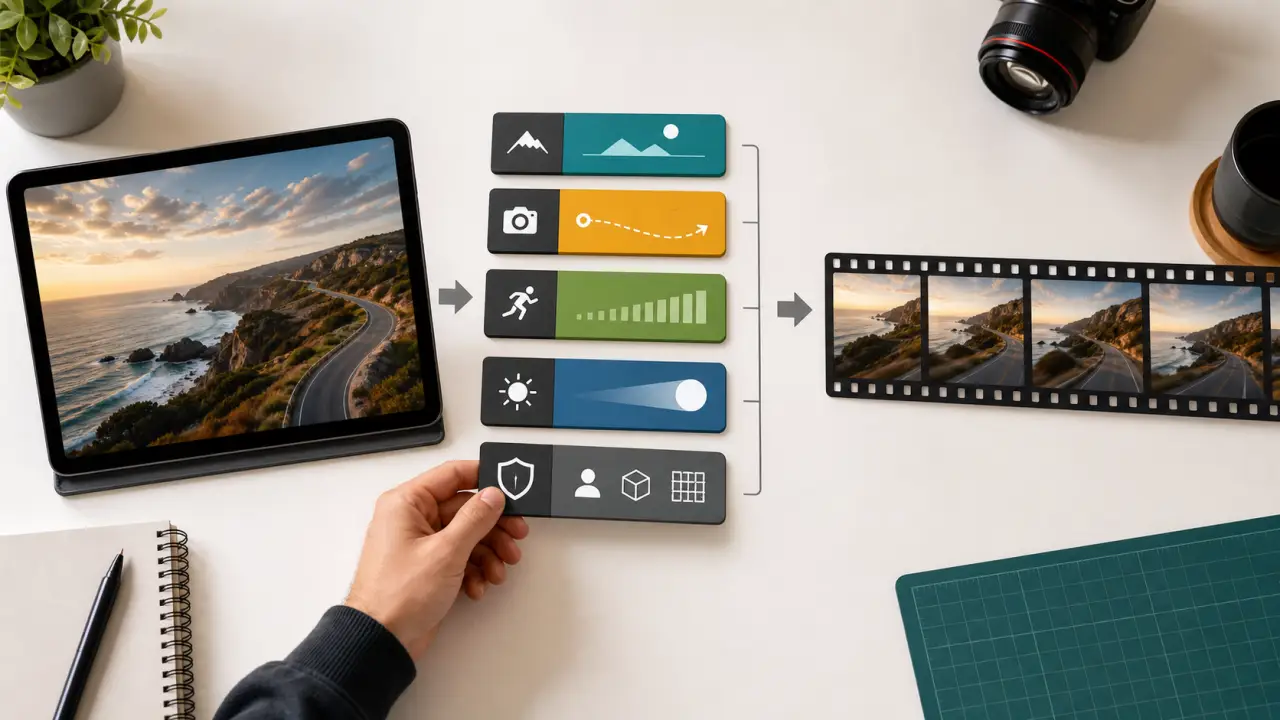
Start with 5 or 6 seconds. Longer clips give the model more time to drift. If the first clip looks stable, extend the idea later or build a second shot.
Use the same source image and change only one variable:
- Test A: locked-off shot.
- Test B: slow push-in.
- Test C: gentle pan.
- Test D: stronger camera move.
This is how you learn whether the image can support motion before spending credits on dramatic prompts.
Step 4: Review Frame By Frame
Do not judge only the first second. Check the last second too.
Look for:
- Face shape changes
- Product label changes
- Background lines bending
- Hands or jewelry appearing
- Camera motion that starts smooth and ends random
- Subject scale changing in an impossible way
- Text or logos mutating
If the last frame no longer matches the first frame, the camera move is too ambitious or the preservation constraints are too weak.
Constraints That Make Movement Look Real
Constraints are not negative decoration. They are the guardrails that keep a camera move from turning into a different scene.
Use constraints based on the subject:
| Subject | Add these constraints |
|---|---|
| Portrait | Keep the same facial features, same hairstyle, same outfit, no face morphing, no extra people |
| Product | Keep label, logo, shape, packaging, material, and color unchanged |
| Old photo | Preserve original identity, age, clothing, photo texture, and historical look |
| Room | Keep layout, furniture, wall lines, windows, and floor geometry unchanged |
| Landscape | Keep horizon, landmarks, buildings, and foreground stable |
| Anime or illustration | Keep art style, linework, colors, eye shape, outfit, and character design consistent |
You can also use general camera constraints:
one continuous shot, no cuts, no jump zoom, no camera shake, stable perspective, realistic parallax, smooth camera path, no warping, no sudden style changeDo not overload the prompt with every possible constraint. Pick the details that matter most for that image.
How To Adapt Prompts For Different Models
Different image-to-video models respond differently to camera language, but the same directing principles usually transfer well.
For models that understand cinematic language well, use natural filmmaking terms: "slow dolly push-in," "locked-off tripod shot," "gentle left-to-right pan," or "smooth gimbal tracking shot."
For models with explicit camera controls, mirror the control names in the prompt. If the interface has zoom, pan, tilt, roll, or master-shot options, choose the closest UI control and keep the written prompt consistent with it. Do not select a rightward pan in the interface and then write a leftward orbit in the prompt.
For first-frame and first-last-frame workflows, make the prompt describe the transition between frames. Instead of saying "cinematic camera movement," say:
The video starts from the uploaded first frame and slowly pulls back to reveal more of the room, keeping all furniture and wall lines unchanged.For models that extend existing clips, describe continuity:
Continue the same smooth camera push-in from the previous clip, preserving the subject, lens feel, lighting, and movement speed.The best model is not always the one with the most dramatic motion. For prompt testing, the best model is the one that follows your shot plan while preserving the subject.
Troubleshooting Bad Camera Movement
When camera motion looks wrong, fix the shot plan before switching tools. Most failures come from vague direction, too much movement, or asking the model to reveal details that do not exist in the source image.
| Problem | Likely cause | Fix |
|---|---|---|
| Camera feels floaty | Prompt says cinematic movement but does not define direction or speed | Use one named move: slow push-in, gentle pan left to right, locked-off tripod shot |
| Face changes during movement | Camera move is too strong for a portrait | Use locked-off, tiny pan, or slow push-in; add identity constraints |
| Product label mutates | Prompt prioritizes motion over preservation | Add label, logo, packaging, and text constraints; reduce orbit or zoom |
| Background bends | Pan, orbit, or crane move reveals too much invented depth | Use slower movement, shorter duration, or locked-off atmosphere |
| Orbit looks fake | Single image does not show side or back details | Use partial orbit only, about 10-20 degrees, or replace with slider movement |
| Handheld looks chaotic | Shake is too strong or the prompt asks for action too | Use "very subtle handheld" and keep subject motion minimal |
| Motion is too boring | Prompt is over-constrained or camera is locked off | Add one gentle environmental motion or use slow push-in |
| Scene changes completely | Prompt lacks a subject anchor | Repeat the subject, setting, style, and preservation details |
If you get a bad result, do not rewrite everything. Change one variable:
- Reduce orbit to slider.
- Reduce handheld to locked-off.
- Change fast zoom to slow push-in.
- Keep subject motion still.
- Add one missing preservation constraint.
FAQ
What camera movement should I try first for image-to-video prompts?
Try a slow push-in first. It works for portraits, products, food, old photos, and many travel shots because it adds depth without forcing a new side view. If that fails, use a locked-off shot with subtle subject or environmental motion.
Is zoom the same as push-in?
Not exactly. In real filmmaking, zoom changes focal length while push-in or dolly-in moves the camera forward. Many AI tools blur this distinction, but prompt wording still matters. "Slow push-in toward the subject" often produces a more physical camera feeling than "zoom in dramatically."
Can I ask for a 360-degree orbit from one image?
You can, but it is risky. A single image does not show the full side and back of the subject, so the model has to invent missing details. For products, characters, and faces, use a partial orbit first.
Why does the camera move but the subject changes?
The prompt probably gives the model more motion than it can preserve. Strong camera moves reveal hidden details, and the model may redesign the subject while filling those gaps. Use a smaller camera move and stronger subject constraints.
Do camera prompts work better in 9:16 or 16:9?
It depends on the image. Use 9:16 for portraits, TikTok, Reels, Shorts, and vertical product ads. Use 16:9 for landscapes, interiors, YouTube, website hero media, and wider product shots. The prompt should match the composition.
Should I include negative prompts?
Yes, but keep them specific. Use constraints such as no cuts, no face morphing, no extra limbs, no text changes, no product warping, and no sudden camera shake. Long negative lists can dilute the main direction.
How many camera moves should one prompt include?
Use one primary camera move. A prompt like "pan, zoom, orbit, and tilt dramatically" usually produces unstable motion. If you want a more complex shot, create separate short clips and edit them together.
Conclusion
Good image-to-video camera prompts are small shot plans. They tell the model what the camera does, how fast it moves, what the subject does, and what must stay unchanged.
Start simple: locked-off, push-in, pull-back, pan, or tilt. Save orbit, tracking, handheld, and dolly zoom for images that can survive stronger motion. The more valuable the subject is, such as a face, product, logo, or family photo, the more restrained the camera should be.
Pick one prompt from this guide, run a subtle version first, then run a stronger version with the same image. The comparison will teach you more than guessing which model or camera word is "best."