
 ChatGPT
 Perplexity
 Gemini
 Claude
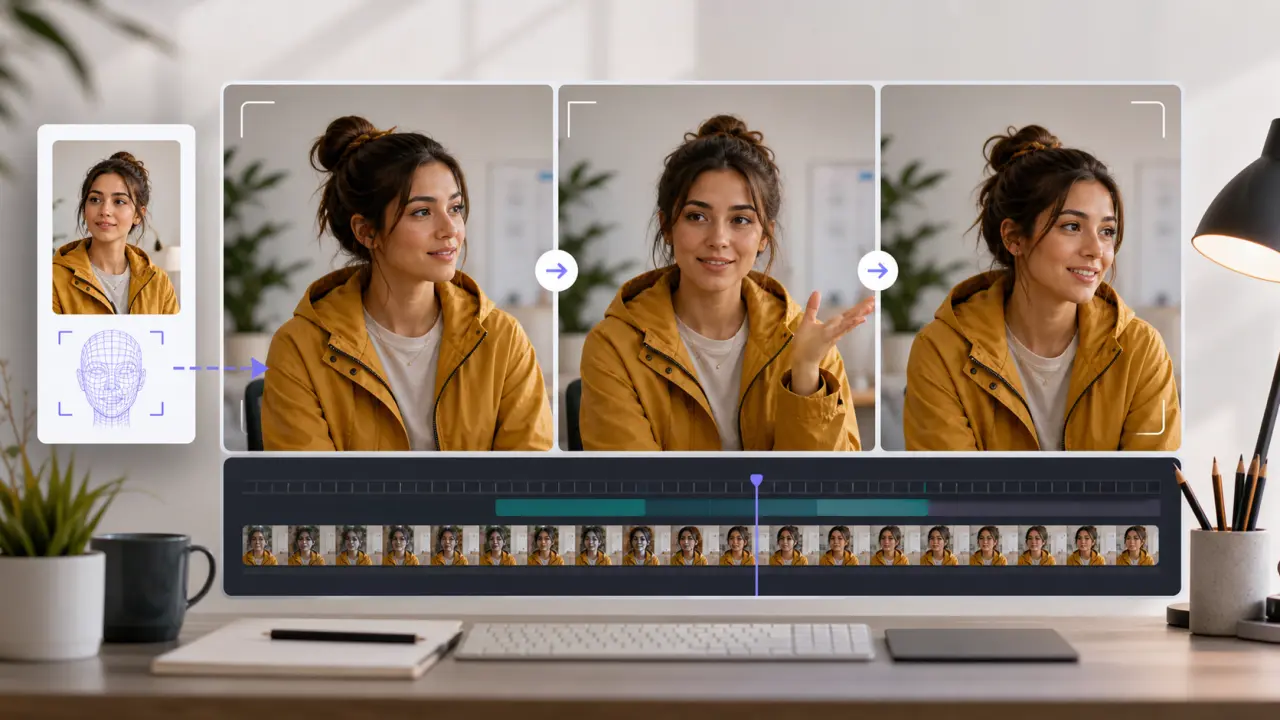
Keeping a character consistent is one of the hardest parts of image-to-video AI.
A single still image can become a smooth 5-second clip, but the face may change halfway through. The hairline shifts. The jacket becomes a different color. A mascot looks right in the first frame and strangely redesigned by the last frame. For creators, brands, and storytellers, that small drift can ruin the whole shot.
The fix is not one magic prompt. Character consistency comes from a repeatable workflow: a strong reference image, a stable character anchor, restrained motion, short tests, and a review process that catches identity drift before you build a full sequence.
Quick Answer
To keep a character consistent in image-to-video AI, start with a clear reference image, describe the character the same way in every prompt, keep the first motion test small, and add constraints that protect the face, hair, outfit, body shape, and style. Generate short clips first. If the character changes, reduce the action, simplify the camera movement, or use a better reference before trying a longer scene.
The most reliable prompts are specific but not overloaded. Define who the character is, what small motion should happen, how the camera moves, what the lighting looks like, and what must not change. If your goal is a portrait, selfie, old photo, or avatar-style subject, start with a workflow designed to animate a portrait with softer identity-safe motion before asking for dramatic acting.
Why Character Consistency Breaks
Image-to-video models do not simply "move pixels." They infer motion, hidden surfaces, expressions, clothing folds, hands, background depth, and camera changes from a still frame. That inference is powerful, but it is also where character drift begins.
Common causes include:
- The face is too small, blurry, shadowed, or partially covered.
- The prompt asks for a major expression change, speech, dance, fight, run, or 360-degree turn.
- The character is described once, then later prompts change hairstyle, clothing, age, lighting, or art style.
- The model has to invent unseen body parts, side views, or back views.
- The scene changes too much between shots.
- Multiple people, props, or background faces compete with the main subject.
- A stylized character has design details that are not repeated in the prompt.
Consistency is easier when the model has fewer things to guess. A slow push-in on a clear portrait is easier than a full-body action shot. A small head turn is easier than a spinning camera. A calm smile is easier than singing, shouting, or speaking.
What You Need Before You Generate
The reference image is the visual contract. If the reference is weak, the prompt has to compensate, and that usually costs more generations.
| Input element | Best choice | Why it helps consistency |
|---|---|---|
| Face | Clear eyes, nose, mouth, jawline, and hairline | Reduces face drift and identity changes |
| Lighting | Natural, even lighting | Makes features easier to preserve across frames |
| Expression | Neutral or mild expression | Leaves room for subtle motion without forcing a new face |
| Outfit | Visible collar, sleeves, colors, and key accessories | Helps keep clothing from morphing |
| Background | Simple enough to separate the subject | Reduces visual noise around hair and body edges |
| Framing | Head-and-shoulders for portraits, full-body only when needed | Avoids asking the model to invent hidden details |
| Style | One clear visual style | Prevents the model from blending realism, anime, illustration, and cinematic looks |
Official tools are moving in the same direction: give the model better references, then ask for controlled motion. Kling's Elements guide describes using one to four images as elements for character consistency. Runway's Gen-4 Image References guide recommends high-quality subject images with even lighting and neutral expressions for more consistent characters. MiniMax's video generation docs include a subject-reference mode for keeping facial features consistent through a generated video. Google's Veo 3.1 API documentation also notes image-based direction with up to three reference images.
Those features differ by platform, but the practical lesson is the same: reference quality matters before prompt wording does.
Step-by-Step Workflow
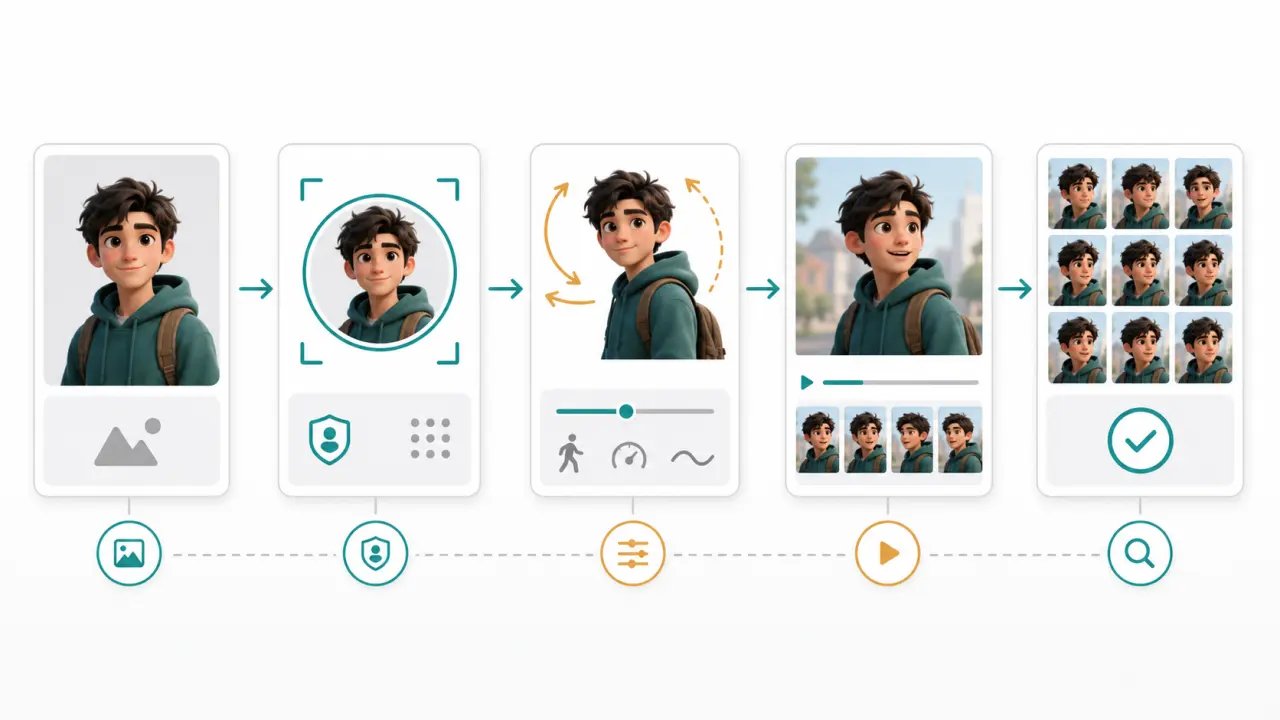
Use this workflow when you want the same person, avatar, anime character, mascot, or fictional subject to stay recognizable in an AI video.
Step 1: Build a Character Anchor
A character anchor is the short identity block you repeat across prompts. It should describe details that must stay stable.
Use this formula:
[Character identity] + [face/hair] + [outfit] + [style] + [unchanged details]Example:
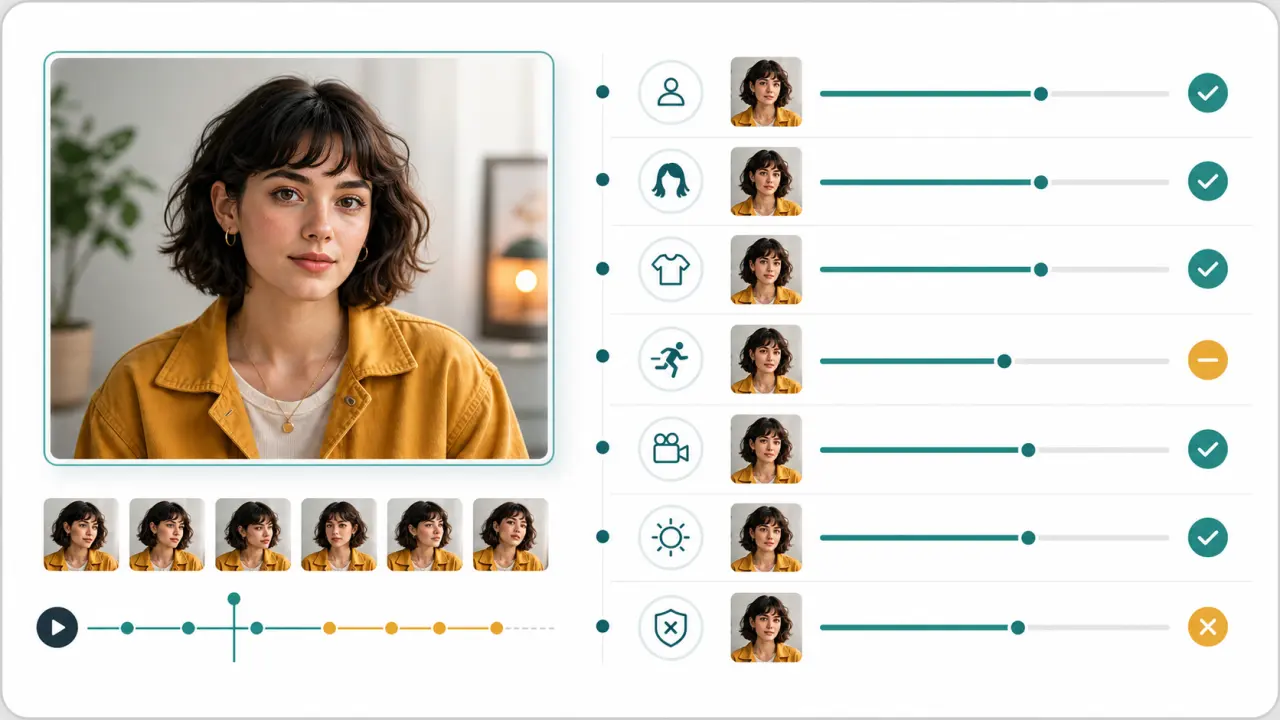
A young woman in her late 20s with an oval face, warm brown eyes, shoulder-length wavy dark hair with bangs, wearing a mustard yellow jacket over a white shirt, natural realistic portrait style. Keep the same face, same hairstyle, same jacket, same age, and same body proportions.Do not rewrite the anchor from scratch for every shot. Reuse it. Small wording changes can invite visual changes.
Step 2: Choose the Right Reference Image
For a short portrait clip, one strong reference can be enough. For a multi-shot character, collect references deliberately:
- Face reference: clean head-and-shoulders image for identity.
- Outfit reference: full or half-body image showing clothing and accessories.
- Style reference: only if you need a specific anime, 3D, comic, or cinematic treatment.
- Scene reference: only when environment consistency matters.
Avoid uploading several conflicting versions of the same character. If one image shows short hair and another shows long hair, the model may average or alternate between them.
Step 3: Start With Small Motion
The first generation is a stability test, not the final scene.
Good first motions:
- Subtle breathing
- Gentle blink
- Small smile
- Slight head turn
- Slow camera push-in
- Soft background depth
- Light moving across the face
Risky first motions:
- Talking or singing
- Dancing
- Running
- Fighting
- Dramatic emotion change
- Fast orbit camera
- Full-body turn
- Outfit transformation
If the simple version cannot keep the character stable, the bigger version will almost certainly fail.
Step 4: Write a Consistency-First Prompt
Do not only say what should move. Say what must stay fixed.
Use this structure:
[Character anchor]. [Small action]. [Camera movement]. [Lighting and scene]. [Identity constraints]. [Negative constraints]. Duration [x] seconds, aspect ratio [x:y].Example:
A young woman in her late 20s with an oval face, warm brown eyes, shoulder-length wavy dark hair with bangs, wearing a mustard yellow jacket over a white shirt. She gently turns her head toward the camera and gives a small natural smile. Slow camera push-in, soft daylight, realistic portrait style. Keep the same face, hairstyle, jacket, age, and facial proportions. No face morphing, no hairstyle change, no outfit change, no extra people, no cuts. Duration 5 seconds, aspect ratio 16:9.Step 5: Review Frame by Frame
Do not judge only the first and last frame. Scrub the clip and check:
- Eyes: same shape, spacing, color, and gaze quality
- Mouth: no new smile shape, teeth, or lip sync artifacts
- Hair: same length, bangs, parting, color, and silhouette
- Outfit: same jacket, collar, logo, sleeve length, and color
- Body: same proportions, posture, and scale
- Style: same realism, anime style, texture, or lighting
- Background: no extra faces, duplicate subjects, or distracting objects
If the face changes, lower motion first. If the outfit changes, strengthen clothing constraints. If the style changes, remove competing style words. If hands break, crop closer or avoid hand actions.
Prompt Templates
Use these as starting points. Replace the bracketed details with your character anchor.
| Use case | Copy-paste prompt template |
|---|---|
| Portrait motion | [Character anchor]. The character breathes naturally and gives a very small smile. Slow camera push-in, soft natural light. Keep the same face, hair, outfit, age, and proportions. No face morphing, no talking, no outfit change, no extra people. Duration 5 seconds, 16:9. |
| Anime character | [Character anchor]. The character blinks once and the hair moves slightly in a gentle breeze. Static camera, clean anime style, stable line art. Keep the same eye shape, hairstyle, outfit, color palette, and character design. No redesign, no style shift, no extra accessories. Duration 5 seconds, 16:9. |
| Product mascot | [Character anchor]. The mascot makes a small friendly wave while staying in the same pose and costume. Slight camera push-in, bright studio lighting. Keep the same face, costume, logo shape, colors, and proportions. No deformation, no new props, no character redesign. Duration 5 seconds, 1:1. |
| Old-photo portrait | [Character anchor]. Add subtle breathing, a gentle blink, and a slow camera push-in. Preserve the original photo mood, age, clothing, hairstyle, and facial features. No modern makeover, no speech, no big smile, no face change. Duration 5 seconds, 16:9. |
| Walking shot | [Character anchor]. The character takes two slow steps forward with relaxed posture. Camera tracks gently from the front, natural daylight. Keep the same face, hair, outfit, height, and body proportions. No running, no fast cuts, no clothing change, no face drift. Duration 6 seconds, 9:16. |
| Multi-shot setup | [Character anchor]. This shot continues the same character from the previous clip. The character stands in a similar pose and looks slightly to camera. Keep the same identity, hairstyle, outfit, style, lighting direction, and proportions. No redesign, no age change, no new accessories. Duration 5 seconds, 16:9. |
The best templates are boring at first. That is a feature. Once a stable low-motion version works, you can increase one variable at a time.
Troubleshooting Character Drift
Use this table when the output looks close, but not stable enough.
| Problem | Likely cause | Fix |
|---|---|---|
| Face changes halfway through | Motion or expression is too strong | Reduce action, avoid speech, add "keep the same facial features" |
| Hair length or shape changes | Hair is not clearly visible or not repeated in prompt | Describe hair length, color, parting, bangs, and silhouette |
| Outfit morphs | Clothing details are too vague | Repeat jacket, shirt, collar, logo, color, and accessory details |
| Character becomes older or younger | Age is not anchored | Add an age range and "no age change" constraint |
| Anime style shifts | Prompt mixes too many style terms | Use one style direction and repeat eye, hair, outfit, and line-art details |
| Hands look strange | The prompt asks for hand action from a weak reference | Crop closer, avoid waving, or use a reference where hands are visible |
| The model invents another person | Background or reference contains extra faces | Crop to one subject and add "no extra people" |
| Multiple shots do not match | Each shot is prompted as a new character | Reuse the same reference and exact character anchor |
| Product mascot deforms | Shape and logo constraints are missing | Add "keep shape, logo, costume, and colors unchanged" |
| Good first frame, bad last frame | Duration or camera movement is too ambitious | Shorten the clip and use a slower camera move |
Model Features That Help
Different AI video tools use different names, but most consistency features fall into a few buckets:
| Feature type | What it does | Best for | Watch out for |
|---|---|---|---|
| First-frame image | Uses your image as the opening frame | Short clips from one portrait or product image | Identity can still drift after frame one |
| Subject reference | Uses a face or subject photo as identity guidance | Portraits, avatars, repeated characters | Weak references still produce weak results |
| Multiple references | Combines face, outfit, scene, or style references | Multi-shot characters and stylized work | Conflicting references can confuse the model |
| Start/end frame | Controls the beginning and ending state | Planned transitions and stable endpoints | The middle can still morph if motion is too complex |
| Motion controls | Restricts camera or subject movement | Reducing drift in faces, hands, and clothing | Too many controls can fight each other |
If you are testing tools, do not start by comparing their most dramatic demo videos. Compare one simple task: same reference image, same character anchor, same 5-second low-motion prompt. That tells you which workflow preserves your subject with the least cleanup.
Export and Review Checklist
Before you publish or reuse the clip, check the result like a continuity editor:
- Does the character still look like the reference in the middle frames?
- Does the face stay stable when the head turns?
- Does the hair keep the same length, color, and parting?
- Does the clothing stay the same color and shape?
- Are hands or accessories distracting?
- Does the clip still match the intended style?
- Is the motion subtle enough for the source image?
- Is the aspect ratio correct for the final platform?
- Are watermark, commercial use, and download rules acceptable for your use case?
For quick iteration, test the same reference image in the main photo-to-video workflow, compare subtle and stronger motion, then keep the version where the subject still feels recognizable.
FAQ
Can image-to-video AI keep the same character across scenes?
Yes, but consistency gets harder as scenes become more different. Use the same reference image, repeat the same character anchor, keep the outfit stable, and change only one major variable per shot. If you change location, lighting, outfit, action, and camera angle all at once, the character is more likely to drift.
Why does my AI video character's face change?
The most common reasons are weak source images, strong expressions, speech, fast movement, side angles, and vague prompts. A face is easiest to preserve when it is large, clear, evenly lit, and only asked to move slightly.
Do I need multiple reference images?
Not always. One good portrait can work for a short close-up. Use multiple references when you need a full-body shot, a specific outfit, a side profile, a repeated character across scenes, or a stylized design that has details the model might otherwise invent.
What prompt keeps a face consistent?
Use a prompt that repeats facial identity and forbids drift:
Keep the same face, same eye shape, same nose, same mouth, same hairstyle, same age, same outfit, and same body proportions. No face morphing, no identity change, no age change, no hairstyle change, no outfit change.That line is not enough by itself, but it helps when paired with a strong reference image and restrained motion.
Can I keep an anime character consistent?
Yes. Anime characters often need extra design constraints because small changes to eyes, hair, costume, or line weight can make them feel like a different character. Repeat the hairstyle, eye shape, outfit, color palette, and art style in every prompt.
Is character consistency harder with talking or dancing videos?
Yes. Talking forces the model to invent mouth shapes. Dancing, running, and fighting force the model to infer hands, limbs, clothing folds, and body angles. Build up slowly: portrait motion first, then small gesture, then body motion.
How long should the first consistency test be?
Start with 4-6 seconds. That is long enough to catch face drift, hair drift, outfit morphing, and background issues without spending too many credits on a broken direction.
Conclusion
Character consistency in image-to-video AI is mostly about reducing guesswork.
Use one clear reference. Repeat the same character anchor. Start with small motion. Add constraints for face, hair, outfit, age, body shape, and style. Review the clip frame by frame. When something breaks, change one variable instead of rewriting the whole prompt.
That workflow will not make every model perfect, but it will make your results more predictable, easier to compare, and much less likely to turn one character into someone else by the final frame.