
 ChatGPT
 Perplexity
 Gemini
 Claude
The most expensive AI product video is not always the clip with the highest price per second. It is the clip that looks impressive until the product changes shape, the logo mutates, the hand passes through the package, or the final frame cannot be used in an ad.
Seedance 2.5, MiniMax H3, Kling VIDEO 3.0, and Veo 3.1 all promise more control than earlier AI video models. But they solve different production problems. A model that is excellent at a 30-second multimodal sequence may be unnecessary for a five-second listing loop. A model that produces a beautiful cinematic shot may still be too expensive for twenty ad variations.
This guide compares the four models around the jobs product marketers actually need to finish: hero shots, product demonstrations, vertical social ads, brand consistency, native audio, and repeatable creative testing.
Quick Answer
There is no single best AI video model for every product video.
- Choose Seedance 2.5 first for longer, reference-heavy ads that combine product images, scripts, style references, motion references, and audio direction.
- Choose MiniMax H3 first for value-conscious multimodal production, brand-heavy experiments, product graphics, native stereo sound, and workflows that may benefit from an open model ecosystem.
- Choose Kling VIDEO 3.0 first when one product, person, or scene element must remain recognizable through controlled image-to-video motion.
- Choose Veo 3.1 first for a small number of premium cinematic hero shots, realistic physics, native audio, first-and-last-frame control, or a Google API workflow.
That is a task-fit recommendation, not a claim that one vendor demo predicts the result for your product. Product packaging, reflective surfaces, hands, liquids, small text, and unusual geometry can change the outcome. The reliable method is to run the same short brief through more than one model and compare the cost per usable clip, not only resolution or price per second.
If you need to prepare the source asset before comparing models, start with the workflow for how to turn one product photo into a short ad. A clean first frame makes every model easier to judge.
Four Models at a Glance
The table below uses official information available on August 10, 2026. Consumer plans, rollout regions, free credits, queues, API status, and watermark rules can change faster than the underlying model name, so confirm the live generation and export screens before paying for a production run.
| Model | Current official strengths | Native output and controls | Best product-video starting point | Main caution |
|---|---|---|---|---|
| Seedance 2.5 | Long scenes, multimodal references, R2V guidance, local editing, campaign-oriented creation | Dreamina describes 4K output, up to 30 seconds in standard mode, beta extension up to 180 seconds, and up to 50 mixed references | Longer social ad, product story, campaign sequence, multi-asset brief | Access and credit availability can vary; a long generation is harder to diagnose when one detail fails |
| MiniMax H3 | Unified text, image, video, and audio context; native stereo sound; text and brand rendering; open model direction | 4–15 seconds, 768P or 2K, first/last frame, and mixed image/video/audio references | Brand-heavy product shot, product-site visual, animated poster, efficient variation testing | Official release material is promising, but product-specific reliability still depends on the source asset and prompt |
| Kling VIDEO 3.0 | Image-to-video, element binding, multi-shot direction, subject consistency, native audio | Up to 15 seconds, flexible duration, 720p or 1080p, start/end frames, element references | Controlled camera move around one product, lifestyle shot with a recurring product or person | Advanced references and native audio increase credit use; too much motion can still reveal unseen product geometry |
| Veo 3.1 | Cinematic realism, physics, prompt adherence, native audio, first/last frames, video extension | 4, 6, or 8 seconds; 720p, 1080p, or 4K; 16:9 or 9:16; up to three reference images | Premium hero shot, sensory close-up, product-in-environment clip, API-delivered creative | Standard pricing is high for exploration; 1080p, 4K, and reference workflows generally require an 8-second generation |
ByteDance's official Seedance 2.5 page positions the model for advertising, ecommerce, and longer reference-driven creation. MiniMax's H3 release specifically calls out advertising, branding, ecommerce, accurate text, and brand rendering. Kling documents element consistency and native audio in its VIDEO 3.0 guide. Google's Veo 3.1 API guide provides the most explicit duration, resolution, reference, and aspect-ratio constraints of the four.
How to Compare Them Fairly
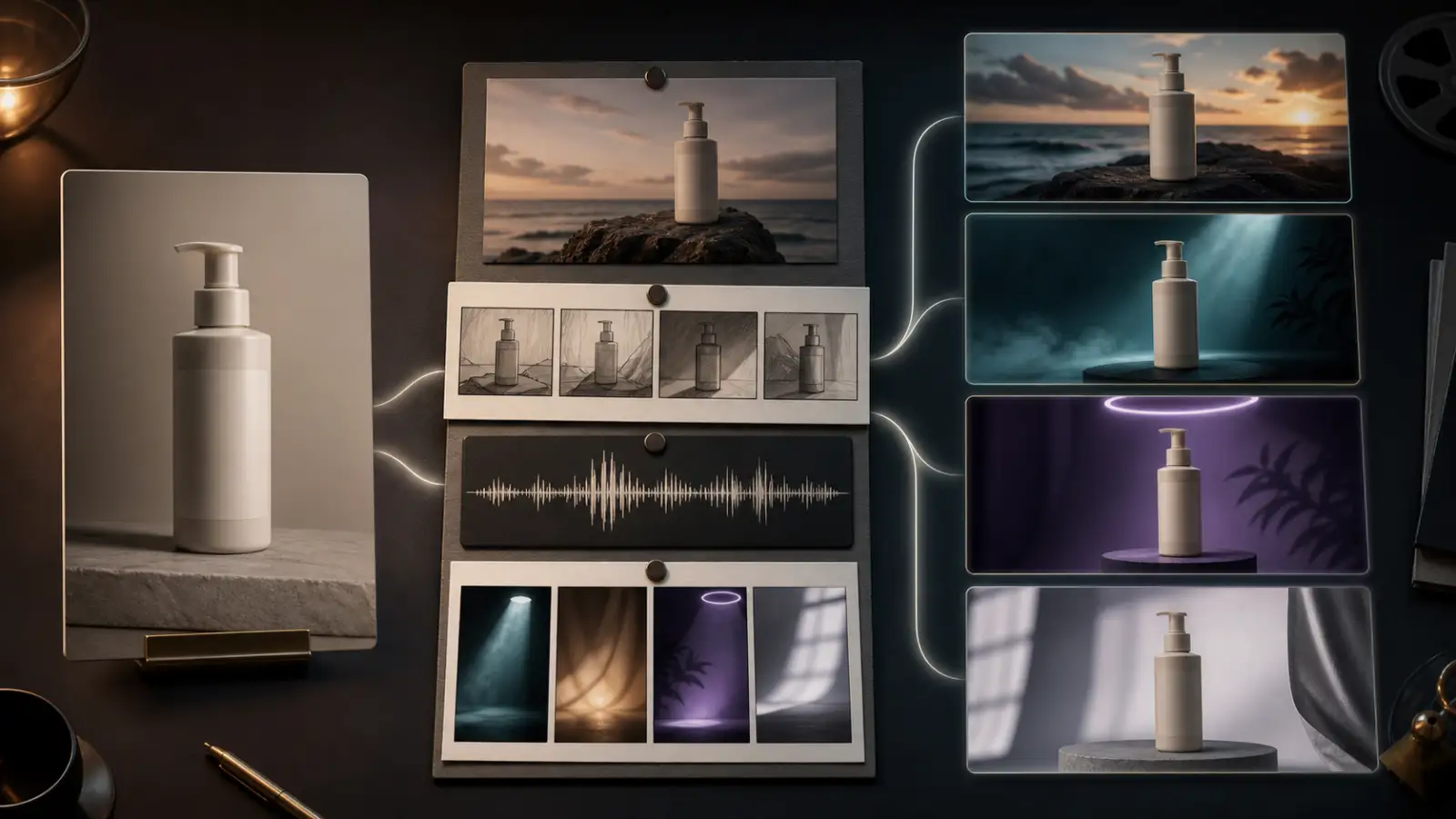
Do not run four unrelated prompts, pick the most attractive frame, and call the result a benchmark. A useful product-video comparison needs the same commercial goal, controlled inputs, and a scoring system that penalizes unusable outputs.
Test 1: Product hero shot
Use one clean product photo with readable edges and enough space for motion. Ask for an eight-second, 9:16 shot with one slow push-in, restrained lighting movement, and no scene cuts.
Check:
- Product silhouette and proportions
- Packaging color and material
- Logo area and small label stability
- Camera path and framing
- Background drift
- Quality of the final hold frame
Eight seconds is a practical common target for a controlled comparison because Veo 3.1 supports it directly, while H3 and Kling allow durations around it. For a Seedance route that offers longer output, keep this first test short. Longer duration is a benefit only after the product is stable.
Test 2: Human-product interaction
Use a lifestyle image or a product packshot that leaves room for a hand to enter the frame. Ask for one simple action: pick up the bottle, open the lid, press the pump, place the device on a surface, or turn the package toward camera.
This is the failure test. It exposes problems hidden by a static beauty shot:
- Fingers merging with packaging
- Product scale changing in the hand
- Caps, buttons, straps, or handles moving incorrectly
- Liquids behaving without weight
- Reflections that no longer match the scene
- Brand details disappearing during contact
A model that wins the hero-shot test can lose here. Human-object interaction asks the model to understand both anatomy and product geometry over time.
Test 3: Reference-rich social ad
Provide a product image, a visual-style reference, and—where the model supports it—a motion or audio reference. Ask for a vertical ad with three clear beats:
- A fast visual hook
- One product benefit demonstrated visually
- A clean hero frame with space for an editor-added CTA
This test favors models with multimodal context and multi-shot control, but it should not be scored only on spectacle. A usable social ad must still protect the product, create a clean edit point, and leave room for verified brand text.
Generate three attempts, not one
For every test, record both the first attempt and the best of three attempts. The first attempt measures workflow efficiency. The best result measures the model's ceiling.
Use this 100-point scorecard:
| Criterion | Weight | What earns a high score |
|---|---|---|
| Product and packaging fidelity | 25 | Shape, color, material, logo area, and scale remain stable |
| Prompt adherence | 15 | The requested action, order, camera move, and constraints are followed |
| Motion and physical realism | 15 | Hands, liquids, fabric, reflections, and object contact behave plausibly |
| Camera and composition | 10 | Motion supports the product and ends on a usable frame |
| Text and brand rendering | 10 | Important visual marks remain legible, with no invented copy |
| Native audio | 10 | Sound supports the action and remains synchronized without clutter |
| First-pass usability | 10 | The first output needs little or no regeneration |
| Cost and speed per usable clip | 5 | The workflow reaches a publishable shot without excessive attempts |
Never hide a low first-pass rate behind one lucky third generation. For paid creative production, repeatability is part of quality.
Product Fidelity and Brand Control
Product fidelity deserves the highest weight because a beautiful ad with the wrong package is not an ad for the product you sell.
Seedance 2.5: the reference-heavy candidate
Seedance 2.5 is the strongest candidate when the brief contains more than a single starting image. Dreamina describes support for scripts, reference photos, videos, music, style guides, R2V motion guidance, local editing, and up to 50 multimodal inputs.
That breadth is valuable for a campaign sequence: a packshot, a lifestyle reference, a camera-motion reference, a color treatment, and an audio direction can live inside one creative brief. It also creates a production risk. More inputs do not automatically create a better ad. Conflicting references can make it harder to tell which instruction caused a product change.
Use Seedance 2.5 when continuity across a longer concept matters. For the first test, still limit the brief to one product anchor, one motion reference, and one style reference.
MiniMax H3: the brand-rendering candidate
MiniMax says H3 is designed for advertising, branding, ecommerce, product design, and UI/UX, with strengths in instruction following and accurate text and brand rendering. It also accepts unified text, image, video, and audio context and generates native stereo sound.
This makes H3 an important early test for packaging-heavy products, animated posters, product website visuals, UI motion, or ads where typography is part of the scene. It does not make generated text legally reliable. Ingredient lists, prices, guarantees, certifications, dosage instructions, and promotional claims should still be rebuilt as deterministic overlays in an editor.
The practical advantage is not “AI writes the final label.” It is that H3 may preserve enough branded visual structure to reduce cleanup around the product.
Kling VIDEO 3.0: the element-consistency candidate
Kling's element binding is directly relevant to product work. The official guide says image and video references can be used as Elements so characters, items, and scenes remain anchored through camera movement and scene development.
That makes Kling a sensible first choice when one product must survive a push-in, pan, tilt, partial orbit, or lifestyle shot with a recurring person. It is especially useful when the product is not a simple cylinder or box.
Element consistency does not invent a correct hidden side. A single front-facing product image cannot prove what the back, underside, or open interior looks like. Use multiple real product angles when supported, or keep the camera within the geometry visible in the source image.
Veo 3.1: the premium-shot candidate
Veo 3.1 is the premium candidate for lighting, atmosphere, physical realism, and audio-visual polish. Google supports an initial image, a first-and-last-frame workflow, and up to three reference images for style and content direction.
Three references are fewer than the input counts promoted by Seedance 2.5 or supported by H3, but the limit can encourage a cleaner brief. For a product hero shot, one packshot, one environment reference, and one material or lighting reference are often enough.
Use Veo when the result will be a high-value shot: the landing-page hero, the opening of a launch film, a premium macro detail, or a sensory product moment. Use a cheaper or faster route to explore concepts first.
Motion, Camera, and Native Audio
The four models are moving toward unified audio-video generation, but product ads rarely need every capability at once.
| Product-video need | Best first model to test | Why | Safe first brief |
|---|---|---|---|
| One product, subtle camera movement | Kling VIDEO 3.0 | Element consistency is closely aligned with controlled image-to-video | Five to eight seconds, slow push-in, no product rotation |
| Longer campaign story | Seedance 2.5 | Longer output and many reference types support multi-beat direction | Build and approve one short product shot before extending |
| Packaging, poster, or product-site motion | MiniMax H3 | H3 targets brand rendering, product visuals, 2K, and multimodal context | Locked product, restrained background motion, editor-added final copy |
| Cinematic product hero with sound | Veo 3.1 | Strong fit for realism, physics, native audio, and high-resolution delivery | Eight-second sensory close-up with one sound plan |
| High-volume A/B concept testing | MiniMax H3 or a faster available route | Value and iteration matter more than maximum finish in early tests | Keep image, duration, and ratio fixed; change one hook at a time |
| Product transition with planned endpoint | Veo 3.1, Kling, or H3 | All provide first/last-frame-style control in current workflows | Use real start and end product frames; avoid a full redesign between them |
Audio should support the product action, not compensate for weak visuals. A pump can click, a can can open, fabric can move, a motor can start, or ice can strike glass. Avoid requesting dialogue, music, ambience, and multiple sound effects in the first generation.
If the final ad will use licensed music, voice-over, or localized copy, a silent generation may be the better test. It prevents the audio system from consuming creative attention before the product shot is stable.
Cost, Access, and Iteration Speed
Raw platform prices are not directly comparable. Dreamina plans, Kling credits, MiniMax API or hosted routes, and Gemini API dollars use different units and may include different queue, audio, resolution, watermark, and commercial-use conditions.
Some current anchors are still useful:
- Dreamina says Seedance 2.5 availability and trial credits can vary by account and region.
- MiniMax positions H3 around price-performance and provides 768P and 2K API routes.
- Kling VIDEO 3.0 charges by second and separates native-audio and no-native-audio modes. Its official guide lists higher credit use for 1080p and native audio.
- Google's Gemini API pricing lists Veo 3.1 Standard with audio at $0.40 per second for 720p or 1080p and $0.60 per second for 4K. Veo 3.1 Fast and Lite cost less, with different resolution limits.
For an eight-second Veo 3.1 Standard generation, the API price is therefore $3.20 at 720p or 1080p, before accounting for failed creative attempts. Three successful attempts cost $9.60. A cheaper model that needs ten attempts can still cost more than a premium model that works in two.
Track production economics with this formula:
cost per usable clip = total generation spend / number of clips approved for editingAlso record:
- Median generation time
- Failed or blocked tasks
- Watermark status on the selected export
- Resolution actually delivered, not only selected
- Number of manual cleanup steps
- Whether critical brand text must be rebuilt
- Commercial rights and uploaded-asset rights for the chosen plan
Do not treat “free credits” as “free production.” A free preview can be useful for judging motion, but the publishable export may require a paid plan, watermark removal, a different queue, or a higher-resolution rerun.
Reusable Product Video Prompts
Keep the source asset and output target fixed while testing models. Change only one instruction at a time.
Product hero shot
Vertical product hero shot of [product from the uploaded image] on the same surface.
The product remains completely unchanged while a narrow highlight moves slowly across its material.
Camera: one smooth, slow push-in from a medium shot to a closer product view.
Preserve the exact product shape, proportions, color, material, packaging, logo area, and label layout.
No rotation beyond the visible product geometry, no new objects, no text changes, no cuts.
End on a stable hero frame with clean negative space for an editor-added CTA.
Duration 8 seconds, aspect ratio 9:16.
Product-in-hand demonstration
Lifestyle close-up of a hand naturally picking up [product] and turning only its visible front toward the camera.
The fingers grip the product with realistic pressure and correct scale.
Camera: locked shot with a very small forward move.
Preserve the exact packaging, cap, label area, product color, hand anatomy, and background.
No finger merging, no product deformation, no invented back label, no cuts, no extra accessories.
Duration 8 seconds, aspect ratio 9:16.
Sensory product ad with audio
Cinematic macro product shot of [product] in [environment].
One visible product action: [open / pour / press / unfold / switch on].
Camera: smooth macro tracking move that ends on the unchanged product.
Lighting: premium but physically plausible highlights and reflections.
Audio: one synchronized product sound plus subtle room ambience, no dialogue, no music.
Preserve product geometry, material, color, logo area, and packaging layout.
No cuts, no random subtitles, no invented claims, no warped hands.
Duration 8 seconds, aspect ratio 16:9.
For Seedance 2.5 or H3, add references only after this base prompt works. For Kling, bind the product element when product identity is the main risk. For Veo, use three references deliberately: product, environment, and lighting or material—not three competing art directions.
Brand-Safety and Publishing Checklist
AI video quality is not the same as ad accuracy. Review the final clip frame by frame before it reaches a product page, marketplace, paid campaign, or client.
| Risk | What to inspect | Safer fix |
|---|---|---|
| Product shape drift | Silhouette, cap, handles, ports, seams, proportions | Reduce motion; use more product angles or stronger element references |
| Label mutation | Brand name, ingredients, volume, certification marks | Mask or replace the label; add verified text in post-production |
| False product behavior | How the item opens, pours, folds, charges, or operates | Use a simpler action based on real product footage or documentation |
| Hand and contact errors | Finger count, grip, pressure, shadows, scale | Shorten the interaction and keep the camera locked |
| Invented claims | Generated text, spoken benefits, prices, guarantees | Remove generated claims and add approved copy later |
| Misleading finish | Color, material, reflectivity, size, contents | Match the real product reference and color-check the export |
| Rights and privacy | Product IP, people, music, uploaded references | Confirm ownership, consent, plan terms, and platform policy |
| AI disclosure | Marketplace, social platform, ad account, jurisdiction | Check the current disclosure rule before publishing |
Do not ask a video model to solve the entire ad. Use it for the parts it does well: motion concepts, hero shots, transitions, atmosphere, and variations. Use deterministic design and editing tools for exact copy, prices, legal language, UI, and final brand layout.
Which Model Should You Choose?
Choose based on the highest-risk part of the shot.
Choose Seedance 2.5 when the job depends on a longer sequence, many reference types, campaign continuity, motion guidance, or local video revision. It is the most ambitious production-system option in this comparison, but that power should be introduced gradually.
Choose MiniMax H3 when you want 2K multimodal generation, native stereo sound, brand-oriented visuals, a value-conscious API path, or an open ecosystem. It is especially interesting for product graphics, animated posters, ecommerce scenes, and high-volume experimentation.
Choose Kling VIDEO 3.0 when the uploaded product or bound element is the center of the shot. It is the clearest first test for controlled product animation, recurring subjects, and camera movement around an anchored item.
Choose Veo 3.1 when one excellent hero shot is worth more than many cheap drafts. It fits cinematic product moments, natural physics, audio-led sensory scenes, high-resolution delivery, and teams already using the Gemini API.
The most efficient production workflow may use two models: a lower-cost route for concept testing and a premium or control-heavy model for the approved shot. Model loyalty is less useful than a repeatable brief, a clean product asset, and a scorecard tied to the final channel.
FAQ
Which AI video model is best for product videos?
There is no universal winner. Seedance 2.5 is the strongest candidate for longer reference-heavy campaigns, MiniMax H3 for value and brand-heavy multimodal experiments, Kling VIDEO 3.0 for controlled image-to-video and element consistency, and Veo 3.1 for premium cinematic shots and native audio.
Is Seedance 2.5 better than Kling for product ads?
Seedance 2.5 is the better candidate when you need longer sequences, many references, or a campaign-level creative brief. Kling may be the safer first test when one uploaded product must remain stable during a controlled camera move. Compare both with the same short packshot before expanding the scene.
Is MiniMax H3 good for logos and product text?
MiniMax explicitly highlights accurate text and brand rendering as H3 strengths, so it deserves an early test for packaging and branded visuals. Do not publish generated prices, ingredients, instructions, certifications, or claims without rebuilding and verifying them.
Is Veo 3.1 worth the higher cost?
It can be worth the cost for a small number of high-value hero shots that need cinematic realism, physics, native audio, 4K delivery, or API integration. Veo 3.1 Standard is harder to justify for early ideation or dozens of ad variations, where Fast, Lite, or another model may be more economical.
Which model is best for TikTok and Reels product ads?
Start with a short 9:16 test. Seedance 2.5 is a strong candidate for longer multi-beat ads, Kling for a controlled product-centered hook, H3 for brand graphics and efficient variation, and Veo for a premium sensory opener. The best model is the one that protects the product and wins the first two seconds at an acceptable cost per usable clip.
Can these models preserve exact packaging?
They can preserve overall packaging more reliably with a sharp source image, restrained movement, and relevant references. No generative video model should be trusted to reproduce every label character or legal detail exactly. Review every frame and add critical text during editing.
What is the fairest way to compare the four models?
Use the same product asset, duration target, aspect ratio, camera move, and preservation constraints. Generate at least three attempts per model. Score both the first attempt and the best attempt, then calculate the cost per clip that is actually approved for editing.
Final Verdict
The four models represent four different product-video priorities:
- Seedance 2.5: creative breadth and longer reference-driven production
- MiniMax H3: multimodal value, brand-oriented visuals, and open workflows
- Kling VIDEO 3.0: product anchoring and controlled image-to-video motion
- Veo 3.1: premium cinematic finish, physics, audio, and API delivery
Do not begin with the longest duration, highest resolution, or most complicated reference stack. Begin with one clean product photo, one visible action, one camera move, and one preservation rule. Once that shot works, scale the winning concept—not the failed prompt.
To establish your baseline, test a product photo in an image-to-video workflow, keep the source image and output ratio fixed, and compare subtle motion before spending credits on a larger campaign.